
ads.com
Maximize your
ads.com with automation tool
Automate your Ads.com search arbitrage campaigns to manage costs and achieve higher ROIs, all while working less.


 15-days Free trial
Cancel anytime

How TheOptimizer can help with your Ads.com campaigns
Apply automation rules to pause, activate, clone, and change bids/budgets based on performance.

Easily Synchronize Data
TheOptimizer automatically syncs your Ads.com intra-day and finalized campaign data via API. In only a few steps, you can connect your Ads.com accounts and start automating.


Streamline Reporting
Tired of switching tabs and looking at messy CSV reports? Connect your traffic sources (e.g., TikTok, Taboola, Meta) and review all data in a single report.


Build Smarter Rules
Use accurate metrics, such as up-to-date real revenue data, to build precise automation rules and make smarter decisions regarding your Ads.com campaigns.


Create Custom Metrics
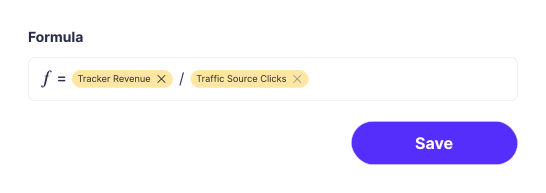
Create custom metrics combining data from Ads.com and traffic source into one calculation. Use these custom metrics when building automation rules to ensure you are optimizing campaigns based on real data.




Take the first step today
Scale your business & save time by
automating campaign management.


