
The first thing you need to do once you start using TheOptimizer is connect all the BigoAds ad accounts you want to manage and automate from our platform.
Step 1: Log in with your Optimizer account, and click on Account Wizard on the left-side menu.
Step 2: Under Traffic Source Setup, click the Add New button
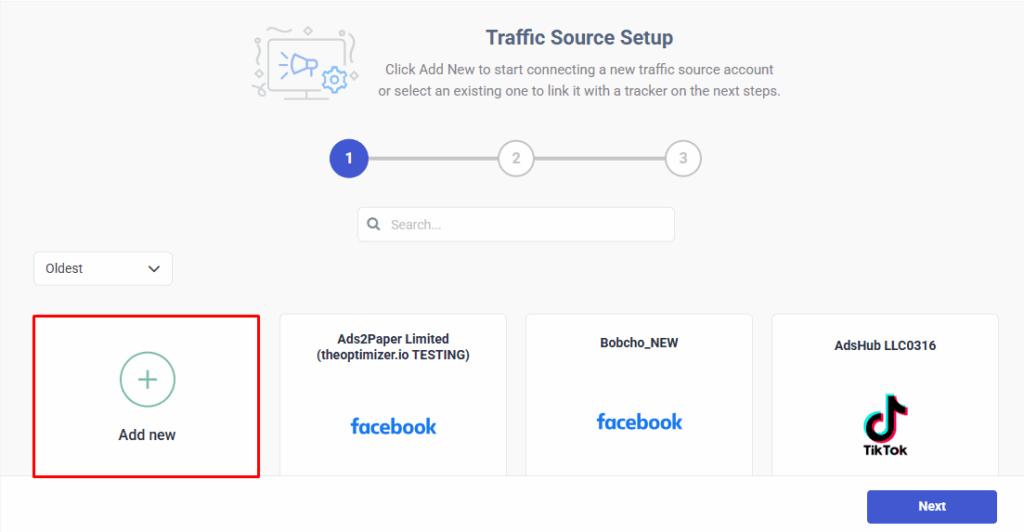
Step 3: Here you will see a drop-down list with all the traffic source integrations TheOptimizer supports. Select BigoAds
Step 4: Fill in the required information as noted in the screenshot below:
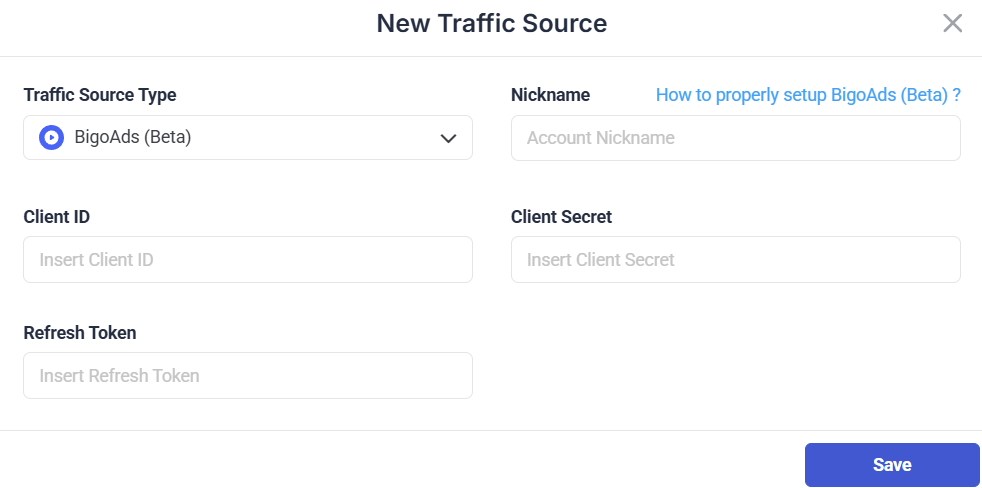
 NOTE: The API Client id and Client Secret can be provided by your BigoAds account manager or their support team.
Once you have completed the information required, click on Save, you will be sent back to TheOptimizer. You should be able to see your connected account on the overview.
Next step: Connect external revenue streams
Apart from your BigoAds ad accounts, you can also connect various external revenue streams (e.g., third-party trackers, search feed accounts, manual data upload):