

Boost Outbrain Performance with AI-Powered Automation

Use AI to control, launch and scale your Outbrain campaigns across multiple ad accounts from a single dashboard.
7-day free trial
No credit card needed

Built for Native Ad Buyers Running Outbrain at Scale

Ask AI to detect performance shifts, uncover optimization opportunities, and take action before wasted spend impacts profitability.

Centralized Dashboard

Manage hundreds of Outbrain ad accounts from one simple, unified dashboard.

Scale Profitably

Adjusting budgets strategically, and keep CPAs under control while scaling.

Save Time & Money

Use automated rules to cut underperformers and move budgets to what drives real results.

Control of How You Launch, Optimize, and Scale Outbrain

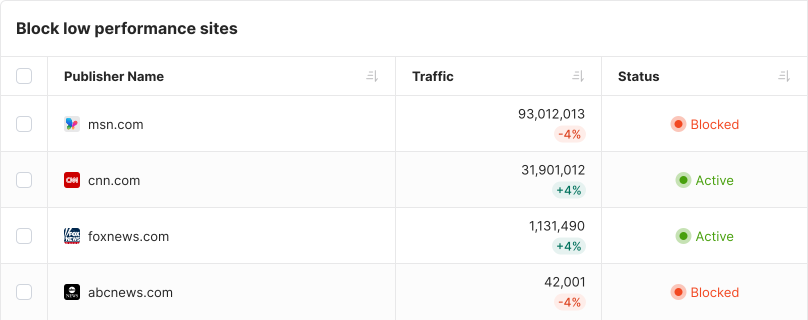
Block Low-Performing Sections

Get peace of mind knowing that Outbrain campaigns, ads or publishers with low conversions will be automatically blocked. Increase bids or budgets for campaigns with high ROIs.
Block Sites

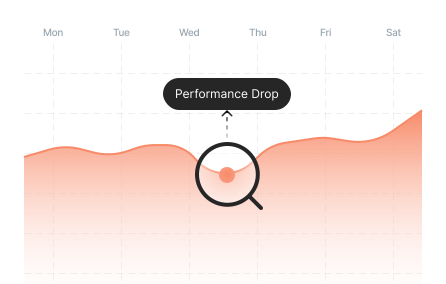
Detect Performance Fluctuations

Track performance stability over time and trigger immediate actions when dips occur to prevent losses before they happen.
Campaign performance chart showing a Performance Drop highlighted by a search magnifier icon, tracking results across Monday through Saturday

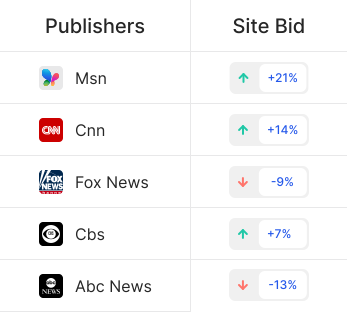
Adjust Site Bids

Adjust site bids automatically based on CPA, ROI, or any custom metric. Spend where it converts and pull back where it doesn’t.
Publisher site bid table showing Msn with bid increase of plus 21 percent, CNN plus 14 percent, Fox News minus 9 percent, CBS plus 7 percent, and ABC News minus 13 percent

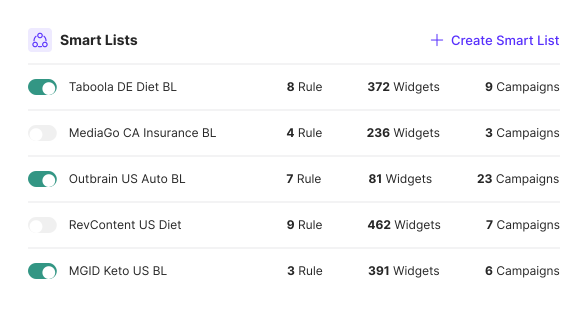
Smart Lists

Create dynamic global blacklists that automatically block traffic from non-converting publishers . Select which campaigns should read from these lists.
Smart Lists panel showing five blocklists with names Taboola DE Diet BL, MediaGo CA Insurance BL, Outbrain US Auto BL, RevContent US Diet, MGID Keto US BL, each with rule counts, widget counts, and campaign counts, and a Create Smart List button

Control Bid Caps and Budgets

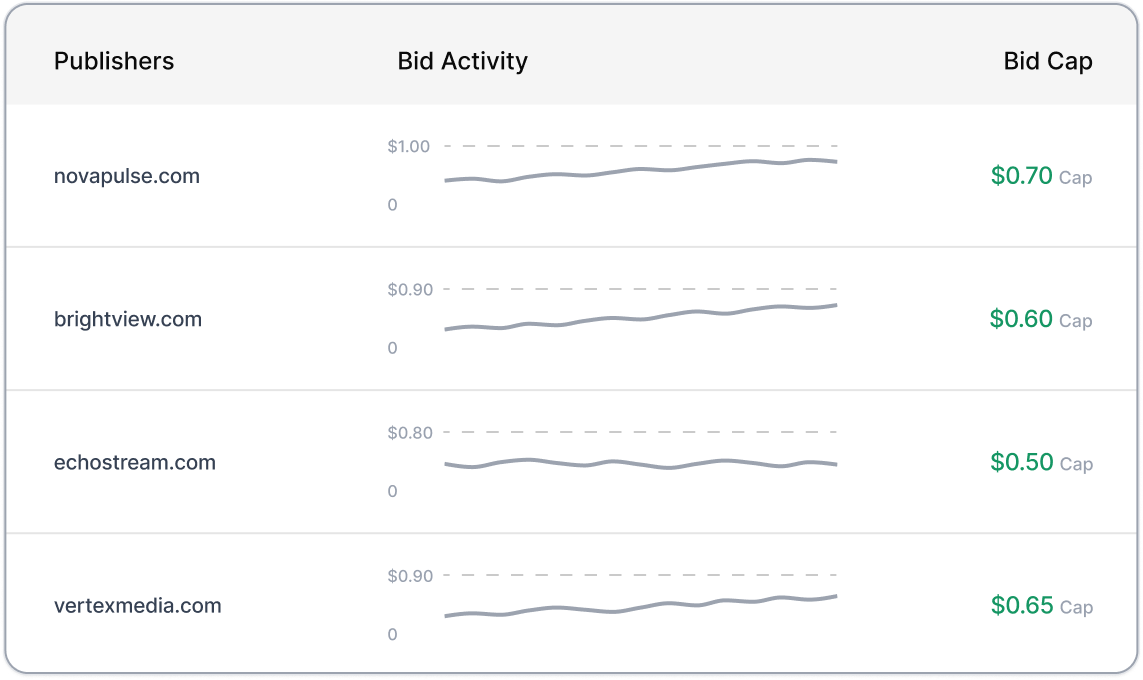
Keep your spend efficient by setting bid caps that match your goals and adjusting campaign budgets based on performance. Increase spend where results are strong and reduce it where they fall behind.
Publisher bid cap table showing four publisher sites with bid activity charts: novapulse.com at $0.70 cap, brightview.com at $0.60 cap, echostream.com at $0.50 cap, and vortexmedia.com at $0.65 cap

Change Target CPA

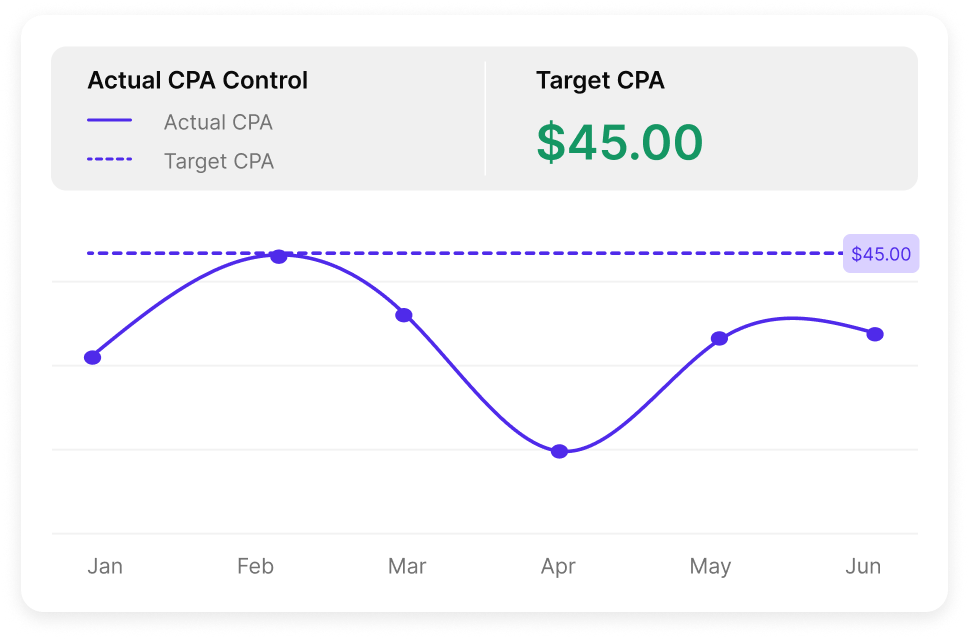
Automatically adjust Target CPA to improve profitability without disrupting delivery.
Target CPA Control panel showing target CPA set at $45.00 and an Actual CPA Over Time chart tracking CPA below the target line from May 5 through May 11

Creative Library

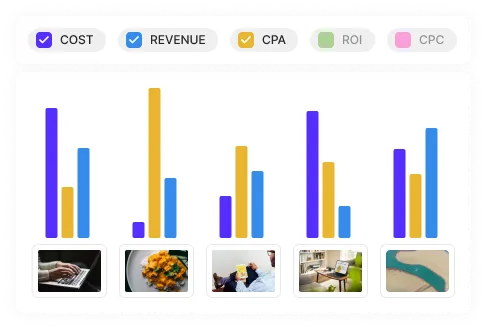
Organize, and manage all your ad creatives in one place. Quickly find top-performers and reuse them in new campaigns.
Creative Library chart showing Cost, Revenue, CPA, ROI, and CPC bar comparisons across multiple creatives, with ad creative thumbnails including food and lifestyle images below

Launch 100s of Campaigns in One Go

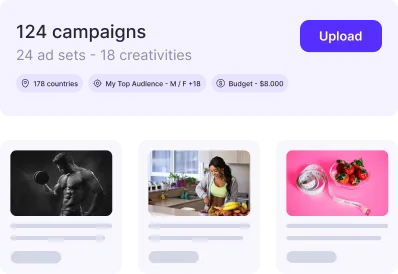
Launch hundreds of campaigns via CSV while assigning automation rules and blocking known underperforming sites, all in a single step.
Bulk campaign launcher showing 124 campaigns with 24 ad sets and 18 creatives, with an Upload button, targeting set to 178 countries and My Top Audience, budget $6,000, and three ad creative thumbnails

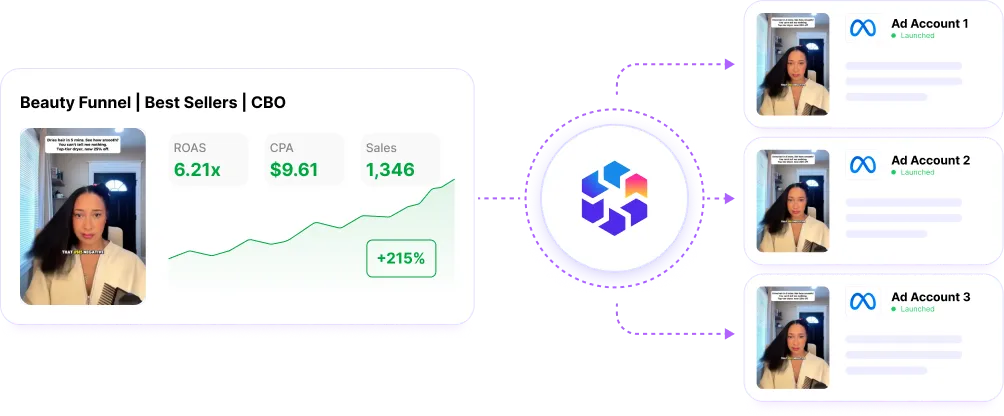
Clone Winners Across Ad Accounts

Automatically clone high-performing campaigns based on profitability, or other KPIs. Scale across ad accounts without the repetitive setup.
Campaign cloning diagram showing a Beauty Funnel Best Sellers CBO campaign with ROAS 6.2x, CPC $9.81, and 1,348 conversions being duplicated to Ad Account 1, Ad Account 2, and Ad Account 3

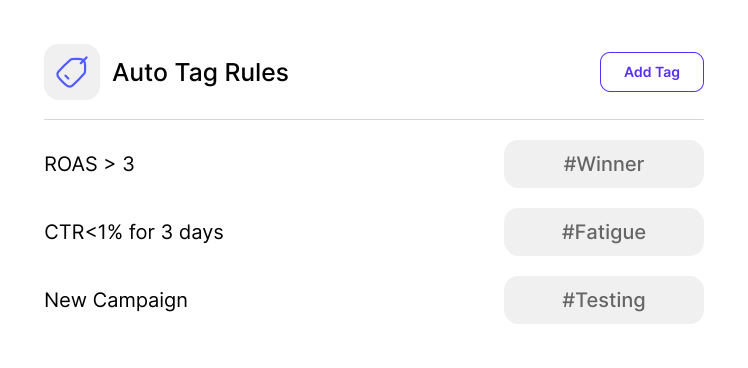
Smart Campaign Tagging

Automatically add or remove tags when campaigns, ad groups, or creatives meet specific conditions. Use tags to mark winners, fatigue, testing stages, risk, or follow up actions.
Auto Tag Rules panel with three rules: ROAS greater than 3 tags campaign as Winner, CTR less than 1 percent for 3 days tags as Fatigue, and New Campaign tags as Testing

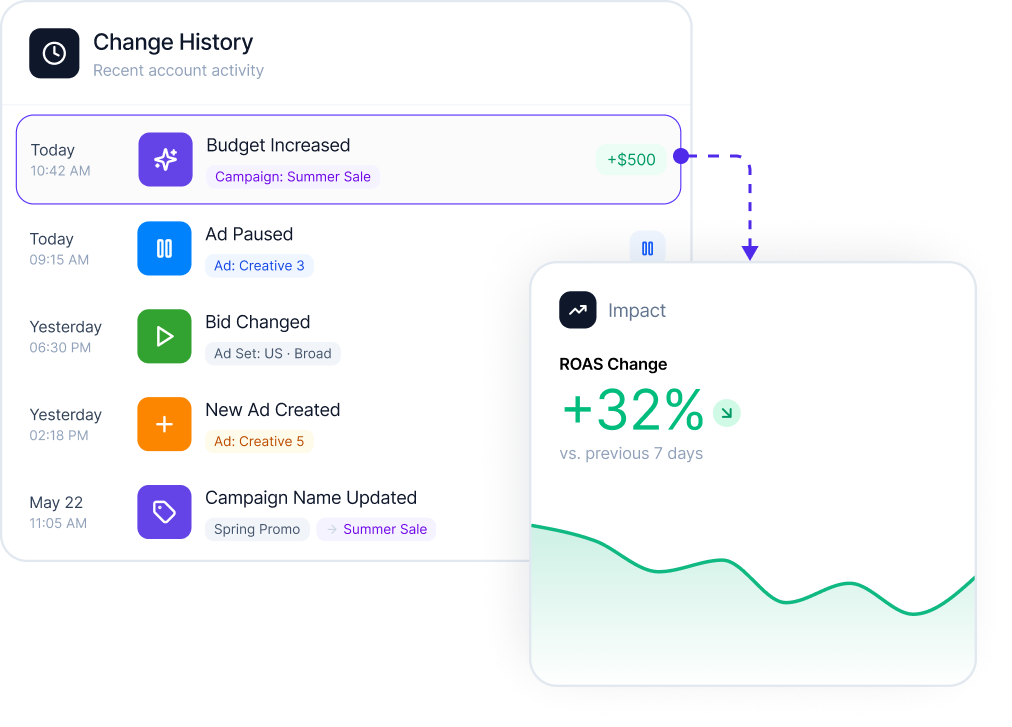
Track What Changed and When

See exactly when campaigns, ads, budgets, or bids were updated. Understand the impact of every change so you can repeat what works.
Change History log showing Budget Increased for Campaign Sunrise Sale, Ad Paused for Creative 3, Bid Changed from $1.20 to $1.80 for Ad Set US Brand, New Ad Created for Ad Creative 5, and Campaign Name Updated from Spring Promo to Summer Sale, alongside a CPA impact chart showing a 32 percent drop

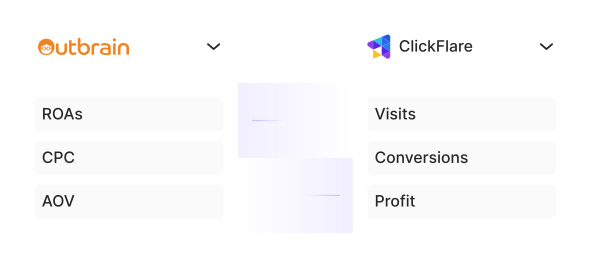
Optimize on Real Data

Don’t rely on delayed or inflated platform metrics. Optimize on the data you trust, like your analytics, sales sheets, or CRM signals.
Side-by-side panel showing Outbrain metrics including ROAs, CPC, and AOV alongside ClickFlare tracker metrics including Visits, Conversions, and Profit

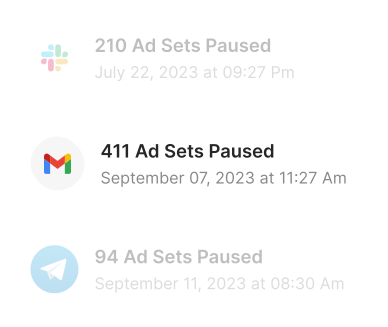
Get Notified

Stay informed without babysitting your campaigns. Know instantly when ROAS drops, CPAs spike, or budgets are scaled.
Notification history showing 210 Ad Sets Paused on July 22 via Slack, 411 Ad Sets Paused on September 7 via Gmail, and 94 Ad Sets Paused on September 11 via Telegram

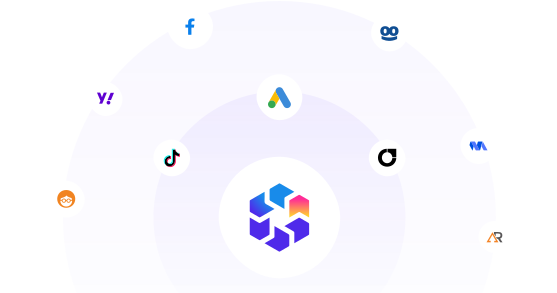
Scale Across Multiple Channels

Expand beyond Outbrain. Launch, optimize and scale campaigns across multiple channels from one dashboard.
Integration orbit showing TheOptimizer at the center connected to Facebook, TikTok, Google Ads, and other ad network logos, representing multi-channel campaign management from one platform
Explore More Features
next level
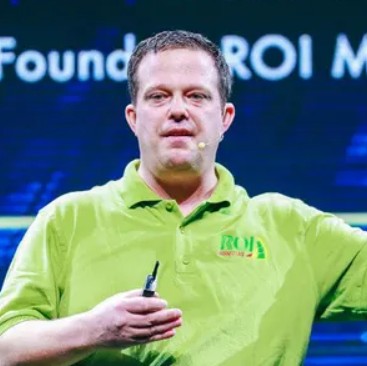
TheOptimizer really helped us get our buys to the next level. The ability to still have control while letting automated rules run our buys has been what set TheOptimizer apart from all other API's we tested.
Joe Burton from ROI Marketplace Agency, TheOptimizer customer
Joe Burton
ROI Marketplace - Agency
Get Started for Free
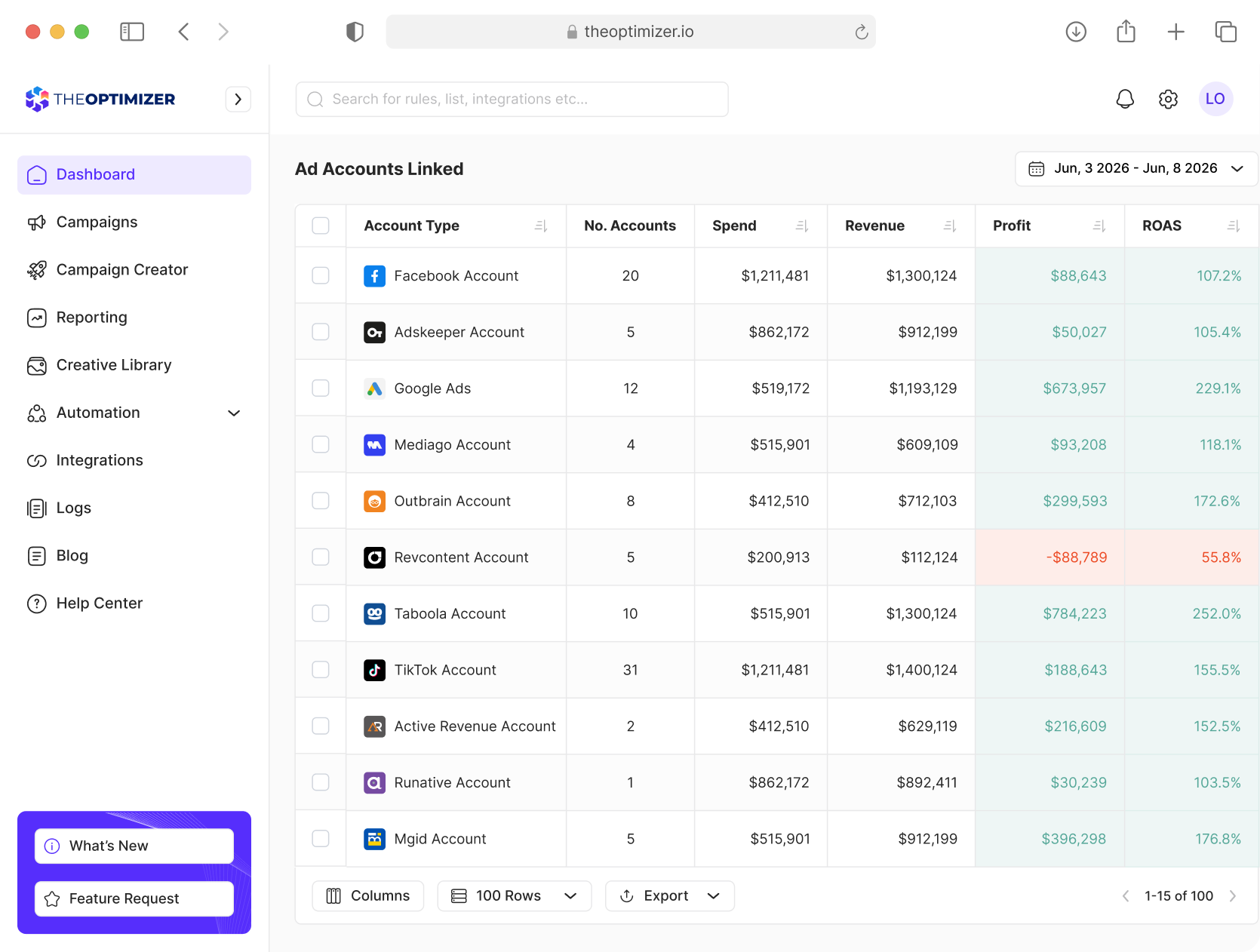
TheOptimizer campaign management dashboard interface

Analyze, Optimize, and Scale from One Dashboard

Connect your ad platforms, analytics tools, and CRM data in one place. Use AI to uncover opportunities, execute optimizations, and automate repetitive work across multiple accounts.
Ask AI to uncover opportunities, execute optimizations, and automate repetitive tasks across all your accounts.
Combine Outbrain, analytics, and CRM data into custom metrics to power smarter decisions and automations.
Analyze performance across different time periods to detect trends, anomalies, and emerging opportunities.
Report across hundreds of accounts, clients, and currencies from one place.
Get Started for Free

Frequently Asked Questions

Have more questions? Send us a message and we will be happy to help.
Contact Us
What is TheOptimizer for Outbrain?

TheOptimizer is an AI-powered campaign management and automation platform for native media buyers running Outbrain campaigns. It helps you analyze performance, control publisher traffic, adjust section bids, manage budgets, launch campaigns, and automate repetitive optimization work.

How does TheOptimizer AI work with Outbrain?

TheOptimizer AI helps you analyze Outbrain campaign performance, identify wasted spend, find profitable sections and creatives, compare results, and understand what needs attention. You can then turn those insights into automation rules to execute bid changes, budget actions, or send you alerts.

What Outbrain actions can TheOptimizer automate?

TheOptimizer can automate actions pause or activate campaigns, publishers, sections or ads. It can also automate bid and budget changes on campaign, ad and section level. Plus leveraging AI you can quickly analyze patterns and automate rule creation.

How is TheOptimizer different from Outbrain Ads Manager?

Outbrain Ads Manager gives you the native tools required to manage campaigns inside Outbrain. TheOptimizer adds an AI-assisted analysis, advanced automation rules, tracker based optimization, Smart Lists, campaign creation tools, alerts, and centralized management across multiple accounts and traffic sources.

What data can I use to analyze and automate Outbrain performance?

Besides Outbrain data, TheOptimizer allows you to utilize your tracker and CRM data by blending metrics from mutiple sources in one place. This way you can easily optimize towards your real results as oppossed to limited data you see in Outbrain.

How long does it take to set up TheOptimizer for Outbrain?

Connecting your Outbrain account to TheOptimizer takes less than five minutes. Simply enter your account credentials, connect your tracking platform, and you're ready to start optimizing. Make sure API access is enabled on your Outbrain account.

Can I try TheOptimizer for free?

Yes. TheOptimizer offers a 7-day free trial with no credit card required. Connect your Outbrain account and experience AI-powered optimization and automation firsthand.
