





TheOptimizer is an AI-powered ad automation platform that connects to your advertising accounts and tracking platforms, monitors campaign performance, and executes optimization actions automatically from a single dashboard.
It supports Meta (Facebook/Instagram), Google Ads, TikTok Ads, Taboola, Outbrain, MGID, RevContent, NewsBreak, MediaGo, YahooDSP, and integrates with 20+ tracking platforms including Voluum, RedTrack, ClickFlare, GA4, Everflow, Binom, and more. Unlike AI chatbots that suggest strategies, TheOptimizer acts — pausing underperformers, scaling winners, adjusting bids and budgets, launching campaigns, and alerting you when performance changes.
TheOptimizer is built for performance marketers, affiliate marketers, media buyers, and agencies who manage paid campaigns across multiple ad networks.
Whether you're a solo affiliate running native and social campaigns, a media buyer managing millions in ad spend across Meta and TikTok, or an agency handling dozens of client accounts across different verticals, TheOptimizer automates the repetitive manual work of campaign optimization so you can focus on strategy and scaling.
Sign up for a free account, connect your ad network accounts and tracking platforms, and start setting up automation rules or use AI to create them using natural language.
Setup takes minutes. Connect your ad network and tracking platfrom accounts, and TheOptimizer automatically begins syncing your campaign data. You can start automating with pre-built rule templates or create custom rules tailored to your optimization approach.
Yes, TheOptimizer offers a free trial to get started with no credit card required. Paid plans are based on the ad spend you manage through the platform, so you only pay relative to the value you're getting. Check out the pricing page for the pricing plan details and feature comparisons.
TheOptimizer supports Meta (Facebook and Instagram), Google Ads, TikTok Ads, Taboola, Outbrain, MGID, RevContent, NewsBreak, MediaGo, YahooDSP, and more.
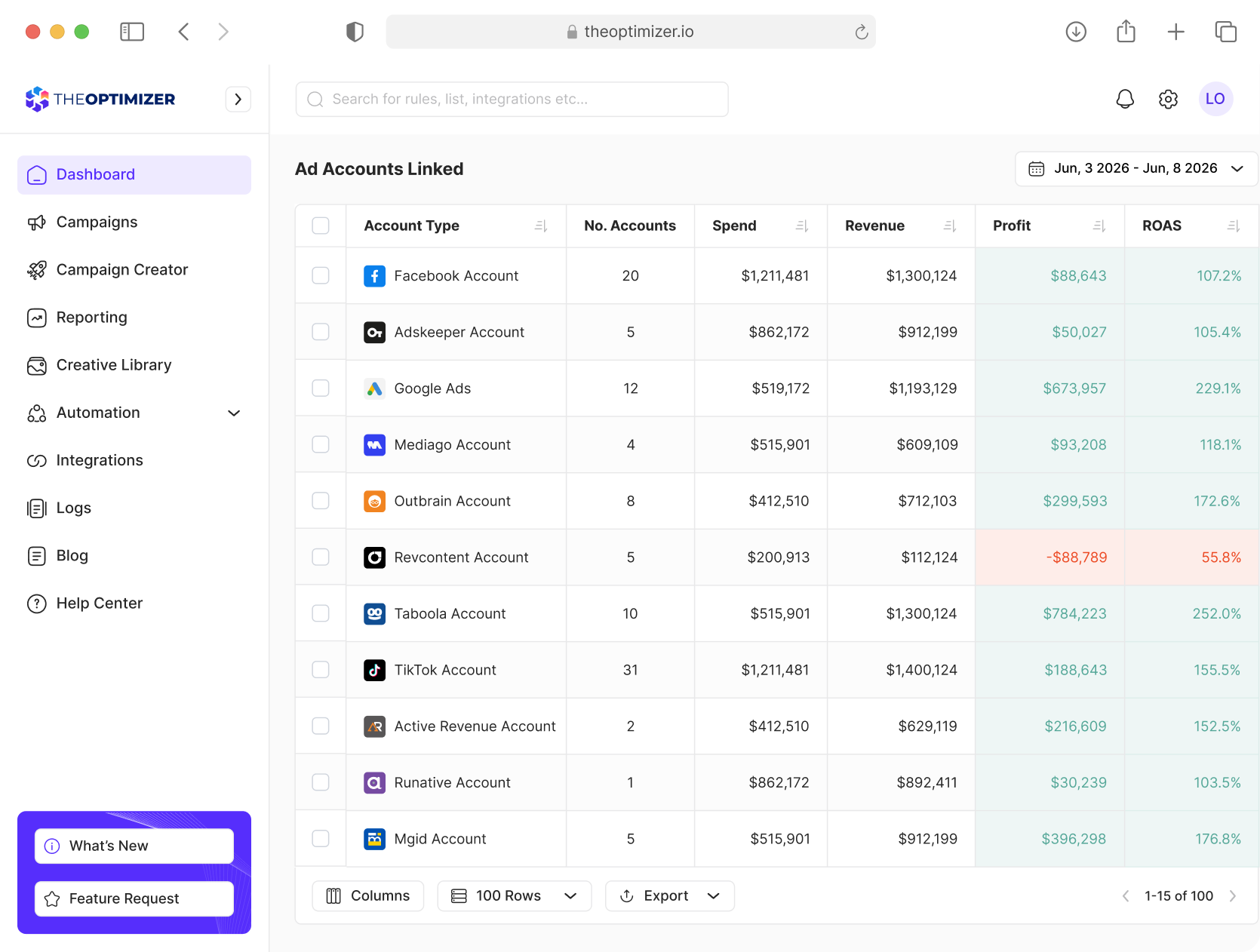
You can manage campaigns across all supported ad networks from a single dashboard. Automation rules, reporting, and management actions work across every connected platform, this way you don't need to switch between separate ad manager interfaces.
We have a direct integration with Tonic, System1, Sedo, Domain Active, Ads.com, Media.net.
We have a direct integration with Tonic, System1, Sedo, Ads.com, Media.net.
Yes. Beyond the built-in tracker integrations, TheOptimizer supports custom data sources via API. You can push data from your CRM, BI tool, or any internal system, including up to 50 custom metrics per data source. These custom metrics are fully available in automation rules and reporting, giving you complete control over the data that drives your optimization decisions.
TheOptimizer can automate virtually every campaign management action you would normally perform manually inside an ad manager. This includes pausing and activating campaigns, ad sets, ad creatives, publisher sites, keywords, and placements, as well as increasing, decreasing, or adjusting budgets and bids across multiple optimization levels.
Beyond basic campaign management, TheOptimizer can automate more advanced optimization workflows. Campaigns can be dayparted to run only during selected hours, while Meta Ads campaigns can automatically adjust placements, GEOs, device types, Target ROAS, Bid Caps, and Cost Caps. For Google Ads, search terms can be automatically converted into targeted keywords to streamline account management and scaling.
The platform also supports workflow automation through tags, allowing actions and rules to be chained together. Performance alerts can be delivered via email, Slack, or Telegram, and every automated action is fully logged with rollback capabilities, providing complete visibility and control over all changes made by the system.
Rules can be configured to execute as frequently as every 10 minutes. Available intervals are every 10, 20, or 30 minutes, every 1, 2, 3, 6, or 12 hours, once daily, daily at 12pm UTC, weekly, or run once for one-time actions like cloning.
You choose the frequency per rule based on how time-sensitive the optimization is. High-spend campaigns might run every 10 minutes, while weekly budget reviews run once per week.
Yes. Automation rules can be set at the ad account level, which means they automatically apply to every new campaign you launch on that ad account. This is particularly useful for agencies that implement different optimization strategies for different clients and verticals. Applying rules at the ad account level is avalable in the Master plan.
Yes. Automation rules can be set at the ad account level, which means they automatically apply to every new campaign you launch on that ad account. This is particularly useful for agencies that implement different optimization strategies for different clients and verticals. Applying rules at the ad account level is avalable in the Master plan.
The MCP (Model Context Protocol) connector allows you to connect your TheOptimizer account to your preferred LLM or AI assistant, such as Claude, ChatGPT, or custom AI agents.
This means you can build or use AI agents that manage and monitor your campaigns 24/7 through TheOptimizer using custom proprietary skills. The MCP connector extends TheOptimizer beyond its built-in interface, making it the execution layer for any AI workflow you build — turning AI from an advisor into an operator with direct access to your ad platforms and automation engine.
TheOptimizer's built-in AI helps you analyze campaign performance, find patterns, create automation rules, and get actionable tips using natural language — like chatting with a media buyer who has access to all your data.The key difference from standalone AI tools like ChatGPT, Claude, or Gemini is that TheOptimizer's AI is directly connected to your live campaign performance data and the platform's automation engine. It doesn't just give you a strategy document to implement manually — it can create and execute rules based on what it finds. It's an out-of-the-box solution for anyone who wants AI-powered ad optimization without custom development.
Yes. TheOptimizer includes a Meta Ads campaign launcher that is significantly faster than the native Meta Ads Manager workflow.You can save common targeting settings (budget, pixel, audiences, placements) as reusable templates, so you don't re-configure them for every launch. You can customize the campaign structure before launching — choosing how many ads per ad set and ad sets per campaign with a single click.
You can launch the same campaign across multiple ad accounts and Facebook fan pages simultaneously. You can disable all of Meta's default AI creative enhancements with one toggle. And you can attach automation rules to campaigns before they go live, so protection and optimization kicks in the moment the campaign starts spending.
Yes. TheOptimizer is built for multi-account, multi-network management. You can manage campaigns from multiple business managers, ad accounts, and ad networks in one place. Campaigns can be organized and reported by ad network, ad account, selected accounts, time zone, currency, or custom tags. Automation rules can be set at the ad account level to automatically apply to all campaigns within that account — ideal for agencies that run different strategies for different clients and verticals.


