

Optimize TikTok Ads With
AI-Powered Automation

Spot creative fatigue, reduce wasted spend, and automatically scale winning campaigns with AI-driven optimizations.
7-day free trial
No credit card needed

Built to Help You Succeed with TikTok Ads

TheOptimizer adds an AI-powered optimization layer that helps media buyers analyze performance, automate actions, and scale campaigns from a single platform.

Centralized Dashboard

Connect hundreds of TikTok ad accounts and effortlessly manage everything in one place.

Scale Profitably

Scale efficiently by cloning campaigns or increasing budgets automatically.

Save Time & Money

Use automated rules to cut underperformers and move budgets to what drives real results.

Use AI to Monitor, Optimize, and Scale TikTok Campaigns

Scale What’s Working

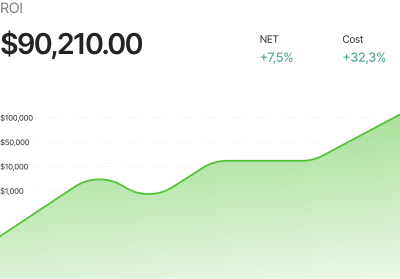
Use AI to scale campaigns with confidence, adjusting budgets and bids automatically while respecting your predefined guardrails.
Scale Profitably

Cut Ad Spend Waste

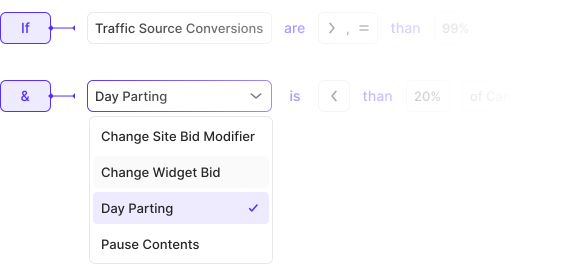
Detect wasted spend before it escalates. Automatically pause or scale down campaigns, ad groups, and creatives that are underperforming.
Automation rule builder showing conditions for Traffic Source Conversions and Day Parting, with action options including Change Widget Bid, Day Parting, and Pause Contents

Detect Performance Fluctuations

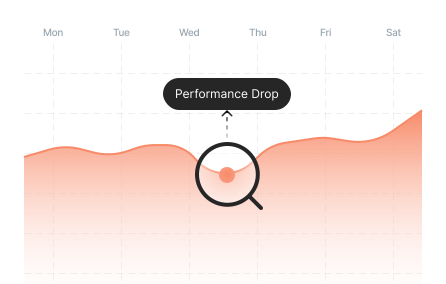
Track performance stability over time and trigger immediate actions when dips occur to prevent losses before they happen.
Campaign performance chart showing a Performance Drop highlighted by a search magnifier icon, tracking results from Monday through Saturday

Clone Winning Ad Groups

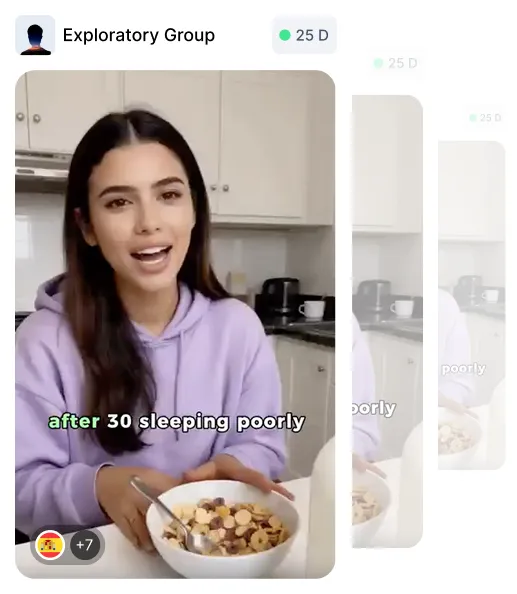
Automatically clone high-performing ad groups based on real profitability, or other KPIs. Scale quickly without the repetitive setup.
TikTok ad group labeled Exploratory Group with a video thumbnail of a woman cooking, showing ad group cloning based on profitability

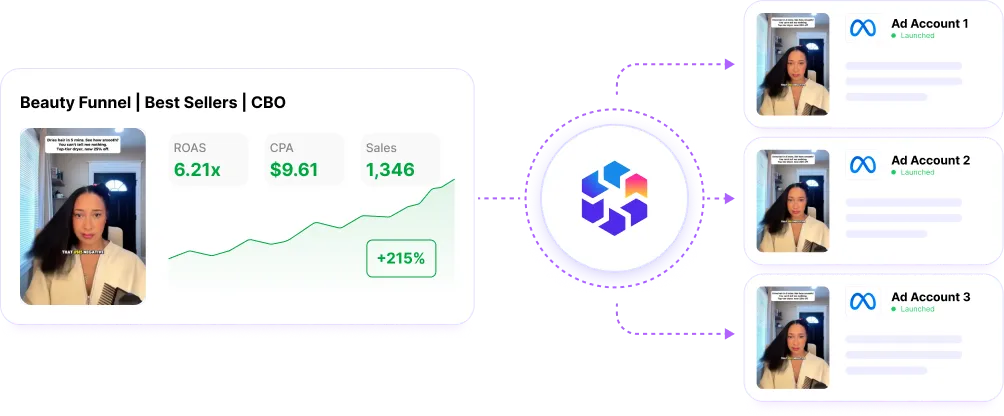
Clone Winners Across Ad Accounts

Automatically clone high-performing campaigns based on profitability, or other KPIs. Scale across ad accounts without the repetitive setup.
Campaign cloning diagram showing a Beauty Funnel Best Sellers CBO campaign with ROAS 6.2x, CPC $9.81, and 1,348 conversions being cloned to Ad Account 1, Ad Account 2, and Ad Account 3

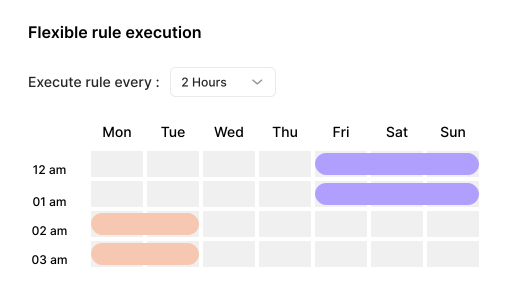
Daypart Campaigns, Schedule Actions

Daypart campaigns with clear schedules. Run optimization actions at specific hours and on selected days of the week.
Flexible rule execution panel showing rule frequency set to every 2 hours, with a day parting grid showing active campaign hours highlighted across Monday through Sunday at 12am, 1am, 2am, and 3am

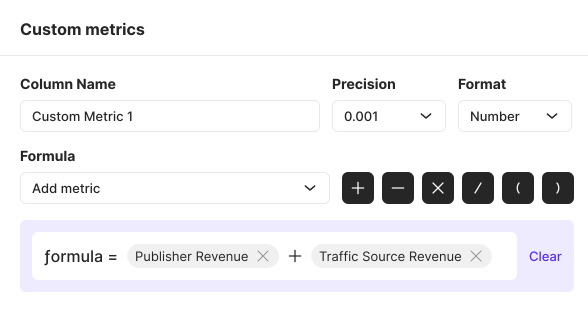
Create Custom Metrics

Calculate your own custom metrics, combining your data from TikTok and third-party tracker. Use these custom metrics to build precise automation rules.
Custom metrics builder with a formula field showing Publisher Revenue plus Traffic Source Revenue, precision set to 0.001, and format set to Number

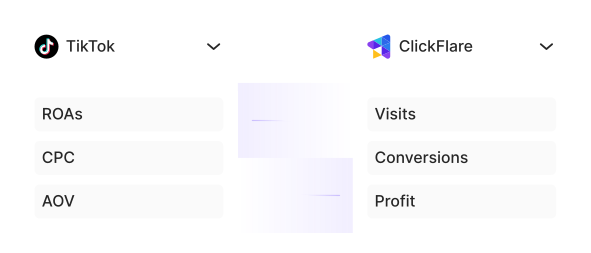
Optimize on Data that Matters

Don’t rely on delayed or inflated platform metrics. Optimize on the data you trust, like your analytics, sales sheets, or CRM signals.
Side-by-side panel showing TikTok metrics including ROAs, CPC, and AOV alongside ClickFlare tracker metrics including Visits, Conversions, and Profit

Smart Campaign Tagging

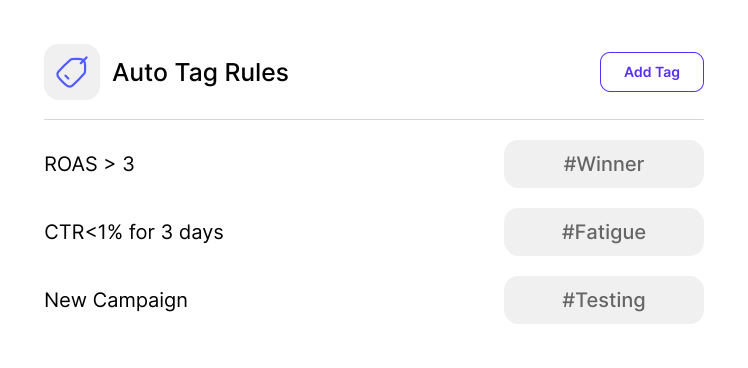
Automatically add or remove tags when campaigns, ad groups, or creatives meet specific conditions. Use tags to mark winners, fatigue, testing stages, risk, or follow up actions.
Auto Tag Rules panel showing three rules: ROAS greater than 3 tags campaign as Winner, CTR less than 1 percent for 3 days tags as Fatigue, and New Campaign tags as Testing

Track What Changed and When

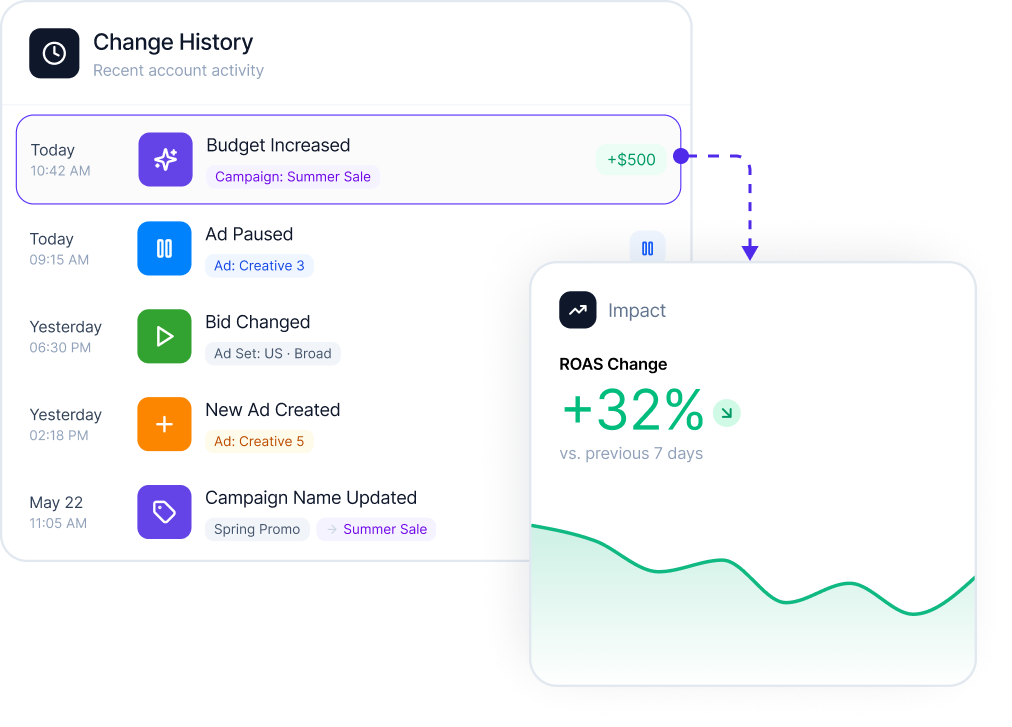
See exactly when campaigns, ads, budgets, or bids were updated. Understand the impact of every change so you can repeat what works.
Change History log showing five entries: Budget Increased for Campaign Sunrise Sale, Ad Paused for Creative 1, Bid Changed from $1.20 to $1.80 for an ad set, New Ad Created, and Campaign Name Updated, alongside a CPA chart showing a 32 percent drop

Turn Performance Checks Into Alerts

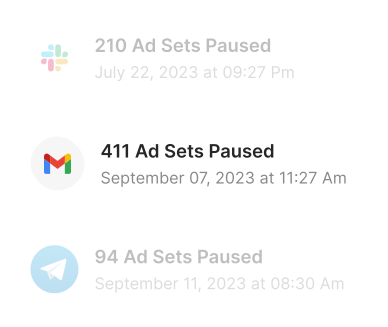
Get notified by email, Slack, or Telegram when your TikTok campaigns hit important thresholds, rules execute, or performance needs attention.
Notification history showing 210 Ad Sets Paused on July 22 via Slack, 411 Ad Sets Paused on September 7 via Gmail, and 94 Ad Sets Paused on September 11 via Telegram

Multi-Channel Automation

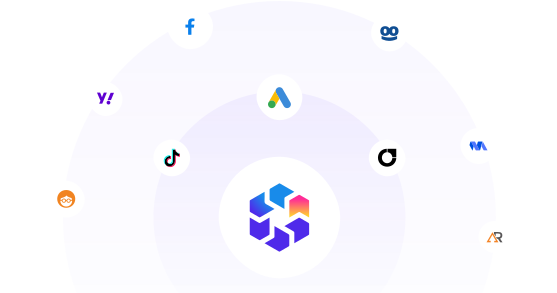
Using more than just TikTok for advertising? We have strong integrations with Meta, Google, and native platforms. Connect your ad accounts and automate all your advertising efforts from one place.
Integration orbit showing TheOptimizer at the center connected to Facebook, TikTok, Google Ads, and native ad network logos, representing multi-channel automation from one platform
Explore More Automations
Works 24/7
TheOptimizer scaled my business monthly revenue from $10k to over $200k. It's like having an employee who never gets tired and works 24/7.
Varunraj Keskar, Performance Marketer, TheOptimizer customer
Varunraj Keskar
Performance Marketer
Get Started for Free
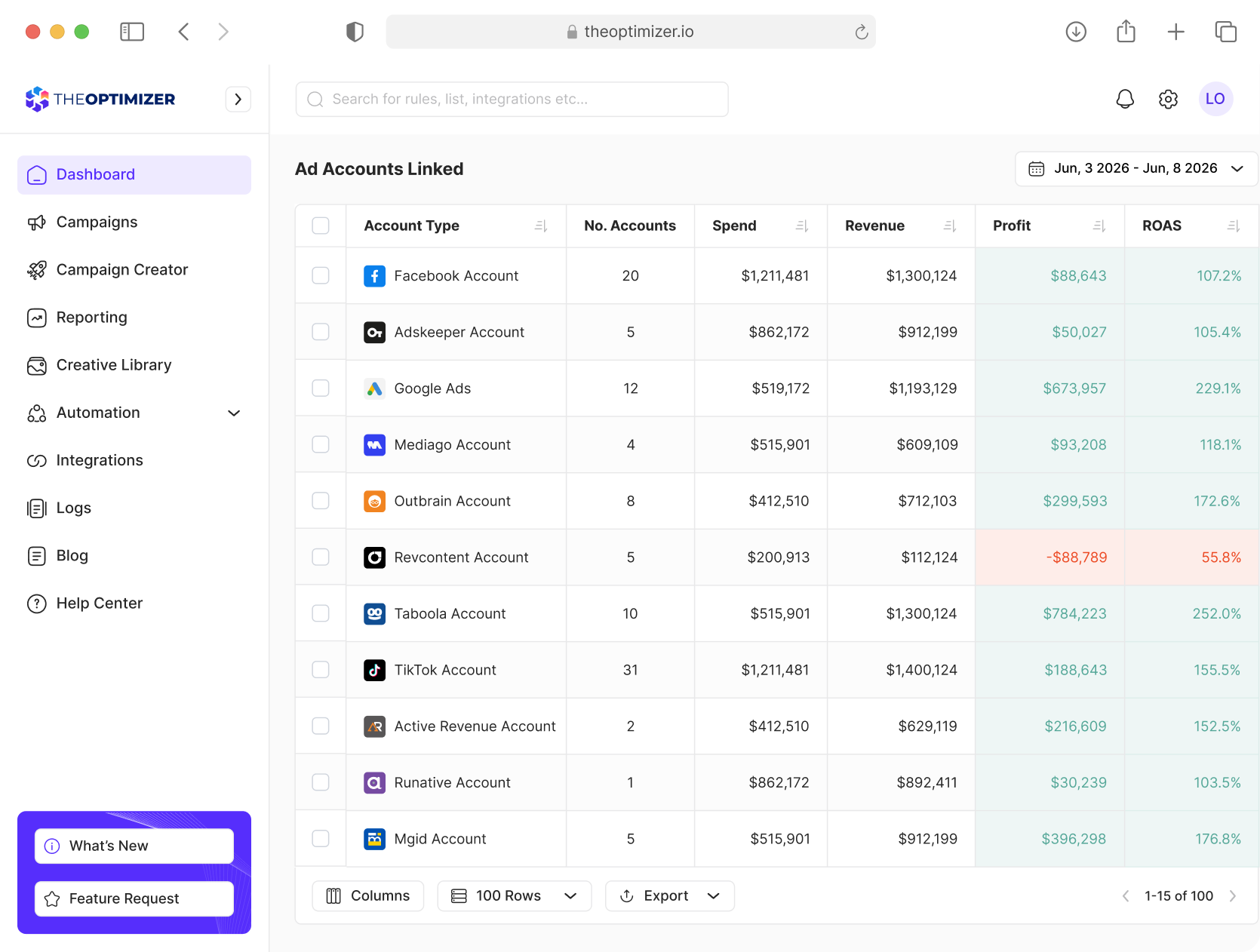
TheOptimizer campaign management dashboard interface

Analyze, Optimize, and Scale from One Dashboard

Connect your ad platforms, analytics tools, and CRM data in one place. Use AI to uncover opportunities, execute optimizations, and automate repetitive work across every account.
Ask AI to uncover opportunities, execute optimizations, and automate repetitive tasks across all your accounts.
Combine TikTok, tracker, and CRM data into custom metrics to power smarter decisions and automations.
Analyze performance across different time periods to detect trends, anomalies, and emerging opportunities.
Generate reports across hundreds of accounts, clients, and currencies from one place.
Get Started for Free

Frequently Asked Questions

Have more questions? Send us a message and we will be happy to help.
Contact Us
What is TheOptimizer for TikTok Ads?

TheOptimizer is an AI powered campaign management and automation platform for media buyers running TikTok Ads. It helps you analyze performance, create rules, automate optimization actions, track changes, and use tracker or custom data to make better media buying decisions.

How is TheOptimizer different from TikTok Ads Manager?

TikTok Ads Manager gives you native tools to manage campaigns inside TikTok. TheOptimizer adds an AI powered optimization layer that helps you monitor performance, use tracker data, create rules, automate actions, get alerts, and manage TikTok alongside other paid traffic sources.

Can TheOptimizer launch TikTok campaigns?

TheOptimizer currently focuses on TikTok reporting, AI analysis, automation, alerts, and optimization workflows. With that being said, TikTok campaign launcher is in the works and will soon be available.

What TikTok Ads actions can TheOptimizer automate?

TheOptimizer can help automate actions such as pausing or activating campaigns, ad groups, and creatives where supported. It can also help adjust budgets or bids, trigger alerts, apply tags, and run rules based on TikTok performance data, tracker data, or custom KPIs.

Can AI help analyze TikTok campaign performance?

Yes. You can use AI to analyze TikTok campaign performance, find wasted spend, detect creative fatigue, compare date ranges, surface ad groups that need attention, and identify campaigns or creatives that are moving in the wrong direction.

Can I use tracker data and custom metrics for TikTok optimization?

Yes. TheOptimizer can combine TikTok Ads data with tracker, spreadsheet or custom API data. This allows rules and reports to use real revenue, ROI, CPA, EPC, qualified conversions, and other metrics beyond platform reported data.

Can TheOptimizer help reduce wasted TikTok ad spend?

Yes. TheOptimizer can help detect campaigns, ad groups, or creatives that spend without meeting your performance targets. You can as AI or create rules to pause, adjust, tag, or alert on underperforming TikTok assets before wasted spend grows.

Can teams and agencies use TheOptimizer for TikTok Ads?

Yes. TheOptimizer is built for media buyers, agencies, affiliates, and performance teams managing campaigns across multiple accounts and ad networks. Teams can use it to monitor TikTok performance, build rules, use tracker data, and manage optimization workflows from one place.
