
NewsBreak is a local news and content platform with a large audience across the United States. Its advertising platform allows marketers to reach highly engaged, geographically targeted audiences through native ad placements within the NewsBreak app and website. It is well suited for campaigns targeting US audiences at a local or regional level. NewsBreak connects via API credentials — you copy an API Key and Account ID from your NewsBreak Ads platform settings and paste them into TheOptimizer.Documentation Index
Fetch the complete documentation index at: https://theoptimizer.io/docs/llms.txt
Use this file to discover all available pages before exploring further.
Where to Find Your API Credentials
Log in to the NewsBreak Ads platform → go to Account settings → API Settings → copy your API Key and Account ID.Connecting to TheOptimizer
Open the Integrations page
From the left-hand menu, go to Integrations. Find the NewsBreak card and click Connect →.
Enter Your API Credentials
Enter the credentials requested:
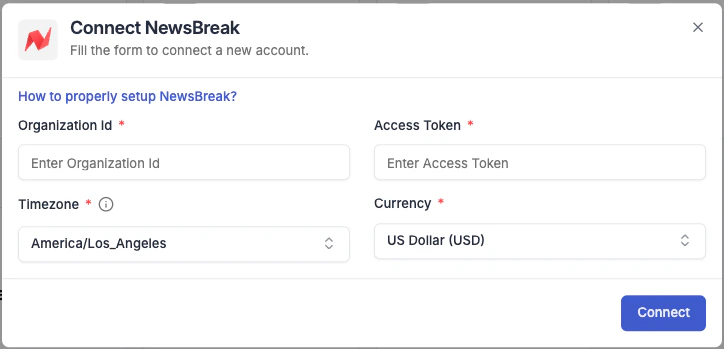
- Integration name — a descriptive label for this connection (e.g. “NewsBreak – Main Account”).
- API Key — paste the API Key from your NewsBreak Ads settings.
- Account ID — paste your NewsBreak Account ID.

Next Steps
- Connect a tracking platform to bring conversion and revenue data into your campaign reports
