
Documentation Index
Fetch the complete documentation index at: https://theoptimizer.io/docs/llms.txt
Use this file to discover all available pages before exploring further.
Yahoo DSP integration is currently in Beta. Access may be limited. Contact your Yahoo account manager or TheOptimizer support to confirm availability for your account.
Where to Find Your API Credentials
API credentials for Yahoo DSP are not generated from a self-serve settings panel. Contact your Yahoo account manager to request your Client ID and Client Secret for the Yahoo DSP API.Connecting to TheOptimizer
Open the Integrations page
From the left-hand menu, go to Integrations. Find the Yahoo DSP card and click Connect →.
Enter Your API Credentials
Enter the credentials requested: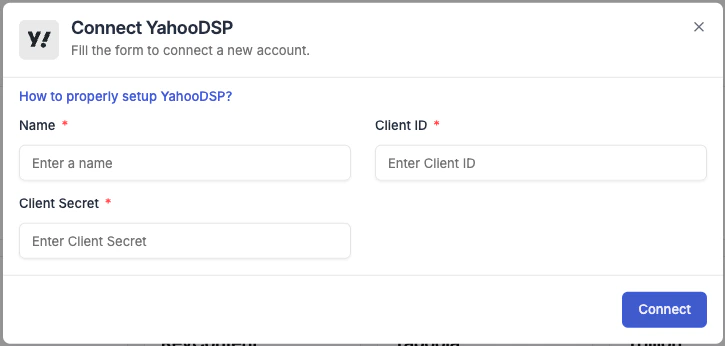
- Integration name — a descriptive label for this connection (e.g. “Yahoo DSP – Main Account”).
- Client ID — paste the Client ID provided by your Yahoo account manager.
- Client Secret — paste the Client Secret provided by your Yahoo account manager.
Next Steps
- Connect a tracking platform to bring conversion and revenue data into your campaign reports