
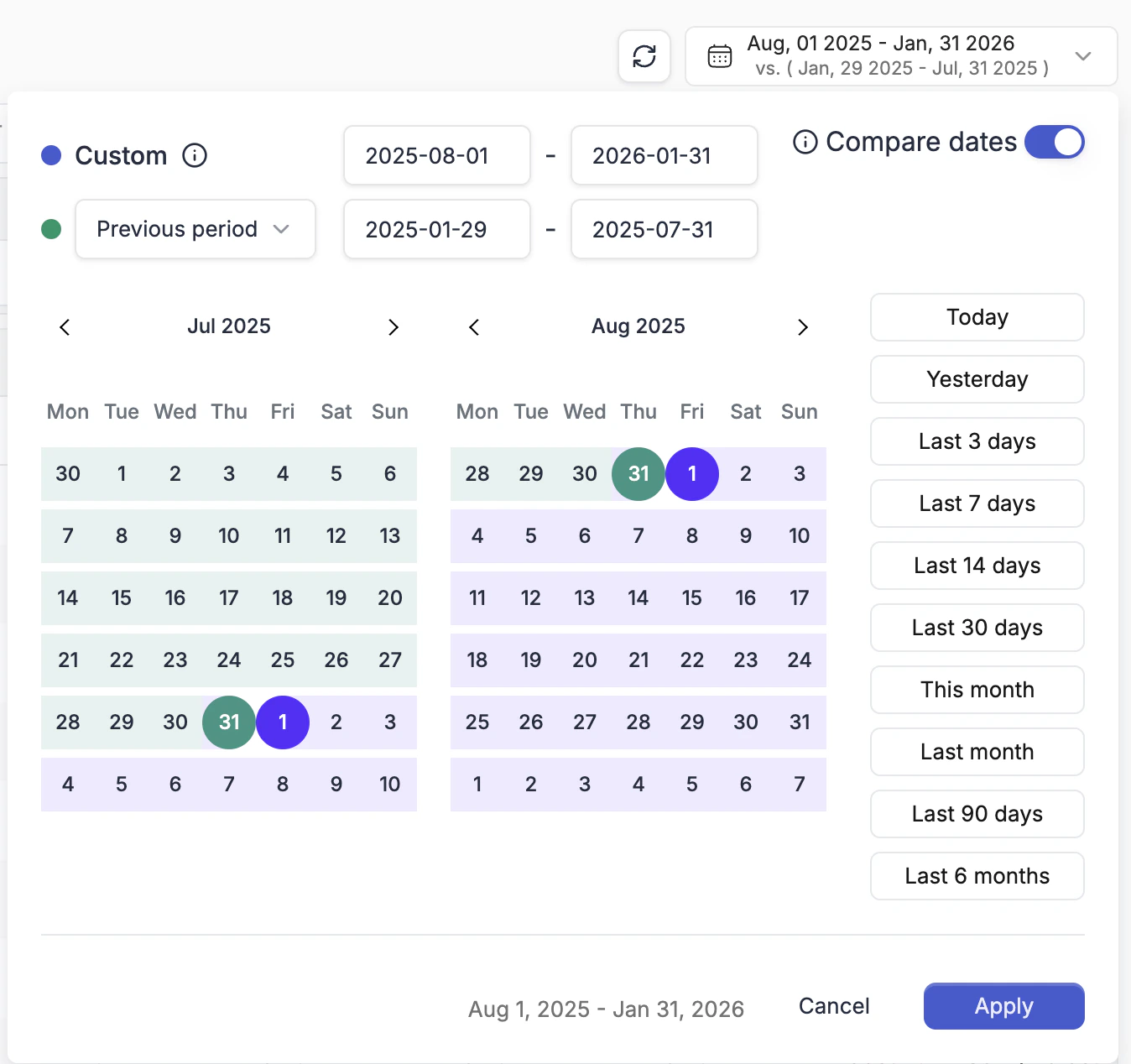
Setting a Date Range
The date picker is in the top-right corner of the navigation bar. Click it to change the reporting interval for the entire view. Available presets: Today, Yesterday, Last 3 / 7 / 14 / 30 days, Last 90 days, This month, Last month, Last 6 months, and a fully custom calendar range.Comparing Two Periods
Inside the date picker, enable the Compare dates toggle. You can then select a second date range to compare against the primary one.Choosing Which Columns Show Comparison Data
Comparison data only appears for metrics you have designated as compare columns. You configure this inside Column Management.Select your metrics
Select the metrics you want to see side-by-side comparison data for (e.g., Amount Spent, Revenue, Conversions).