
Default Column Views
TheOptimizer provides ready-made column presets for each ad network. For Facebook, for example, you get: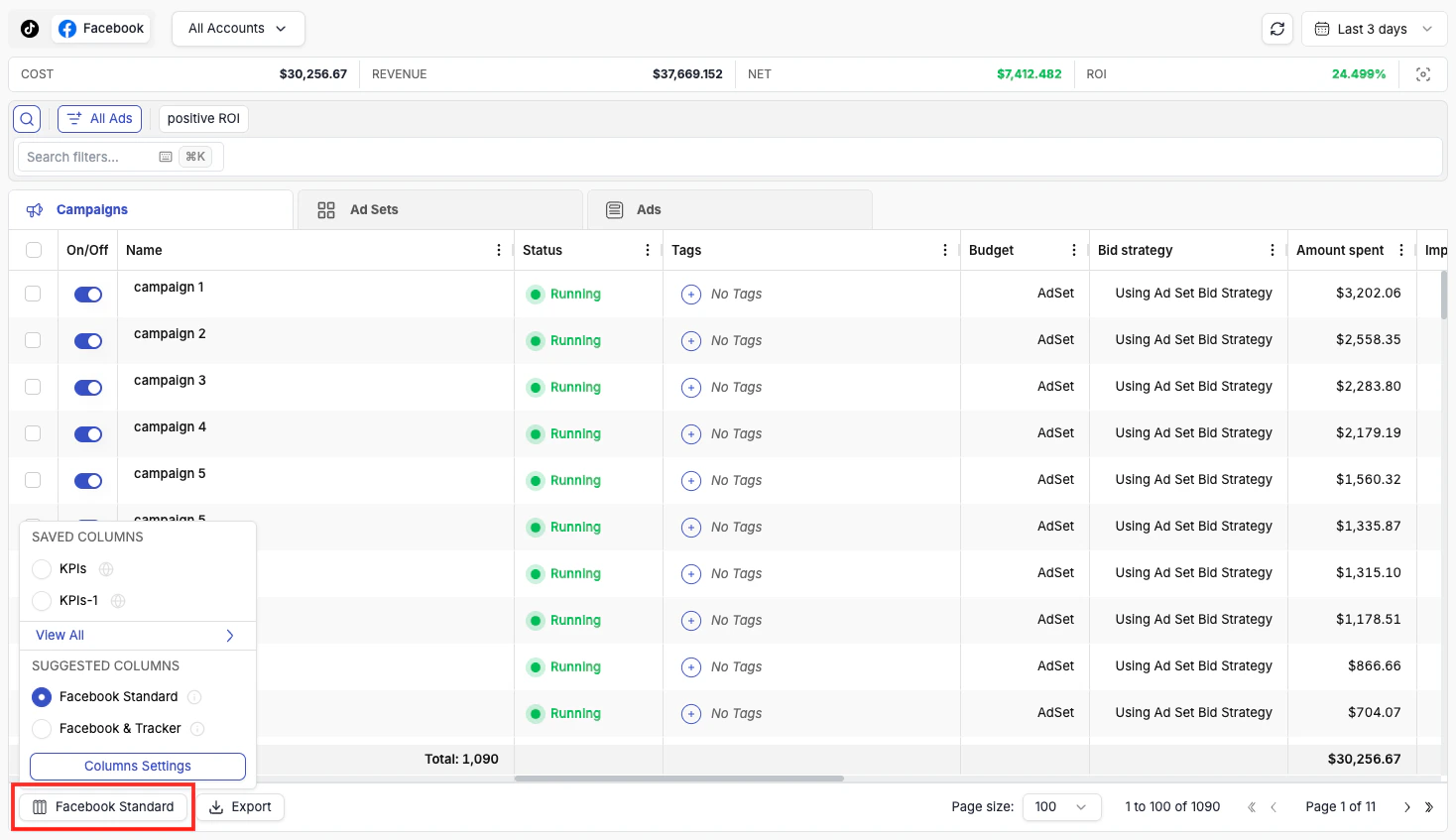
- Facebook Standard — essential Facebook ad network metrics only, with no tracker data. A clean, focused view for native Facebook performance.
- Facebook + Tracker — a combined view that merges the most important Facebook metrics with key tracker metrics side by side. This preset is only shown when you have a tracker connected.
Creating Custom Column Views
Browse column groups
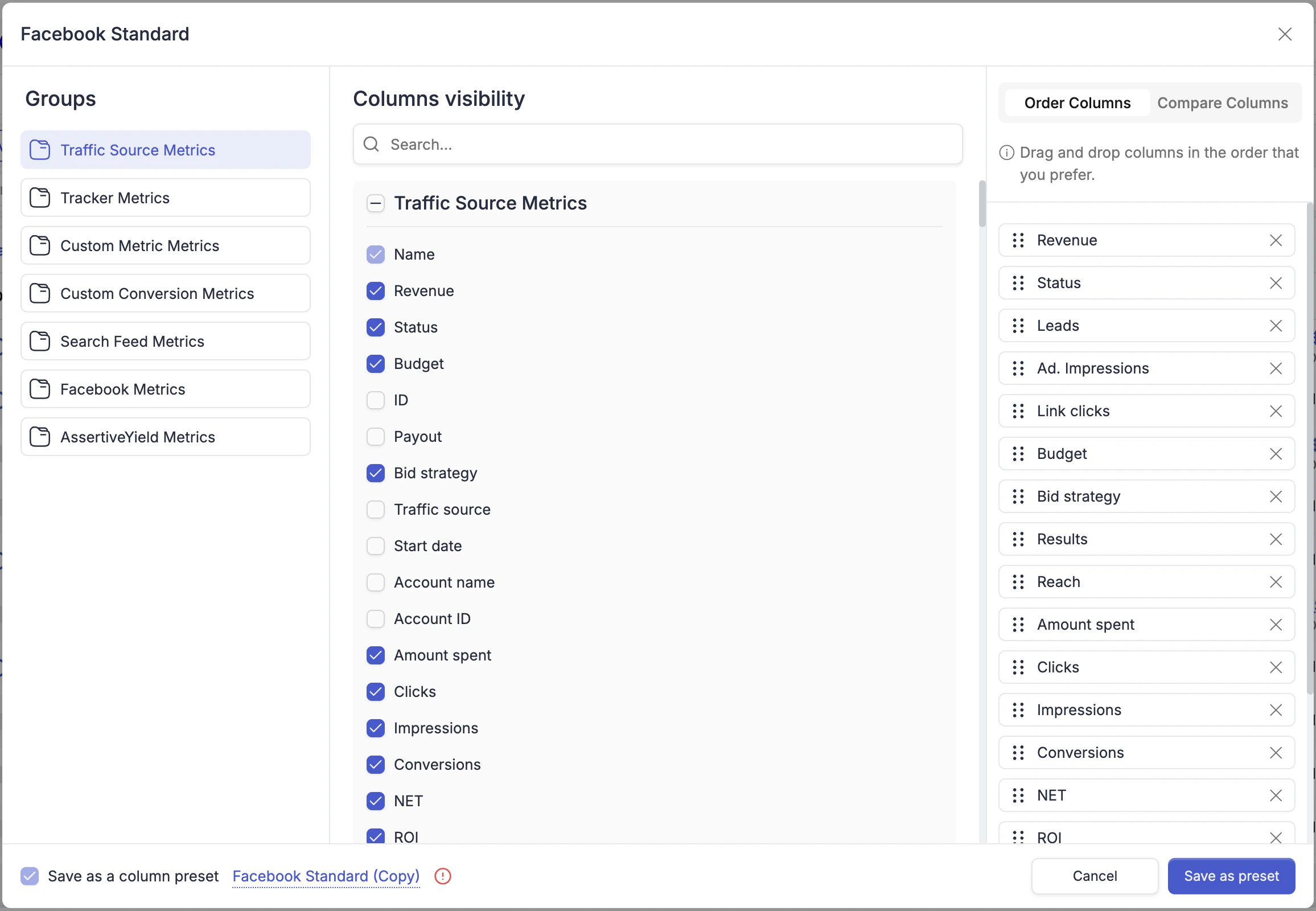
Use the left panel to browse available column groups: Traffic Source Metrics, Tracker Metrics, Custom Metric, Custom Conversion Metrics, Search Feed Metrics, and network-specific groups (e.g., Facebook Metrics).
Reorder columns
Use the Order Columns panel on the right to drag columns into the exact order you want.
Sharing Presets With Your Team
When saving a column preset, you will see a Set to Public toggle at the bottom of the Column Management dialog. Enabling it makes the preset visible to all sub-users in your TheOptimizer account — so your team can work from the same column views without each person having to recreate them manually.
Presets are private by default. Only enable Set to Public for views you want to standardise across your team, such as a shared daily review layout or a company-wide reporting format.