
You can use the Facebook Campaign Launcher to bulk upload new ad sets or ads to an existing campaign — without touching anything that is already live. Use this when you want to expand an active or paused campaign — add fresh creatives to an existing ad set, or launch a new ad set into a campaign that is already running — without rebuilding from scratch or going through Facebook Ads Manager.Documentation Index
Fetch the complete documentation index at: https://theoptimizer.io/docs/llms.txt
Use this file to discover all available pages before exploring further.
Loading an Existing Campaign
Open the launcher and select your Ad Account
Open the Facebook Campaign Launcher and select your Ad Account.
Switch to Use existing campaign
Below the ad account selector, two options appear: + Create new campaign (default) and Use existing campaign. Click Use existing campaign.
Search for the campaign
A search box appears. Search for the campaign by name or ID, then click on it from the list.
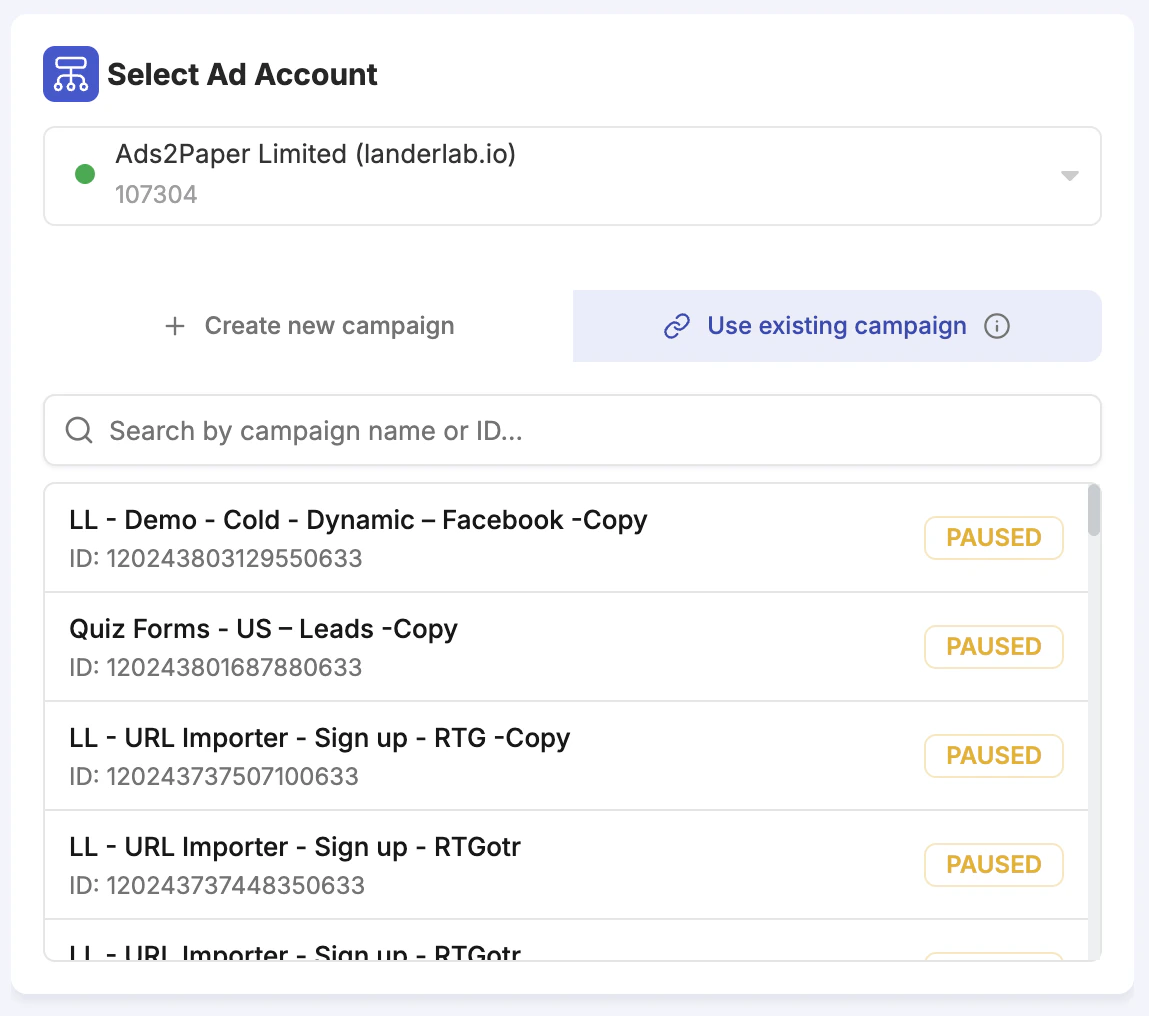
Everything that already exists in the campaign is read-only — you cannot edit existing ad sets or ads. The lock icon on existing items in the tree makes this clear. You can only add new items.
Working with Existing Ad Sets
Once an existing campaign is loaded, clicking the three-dot menu (⋯) on any existing ad set in the left panel tree reveals several actions: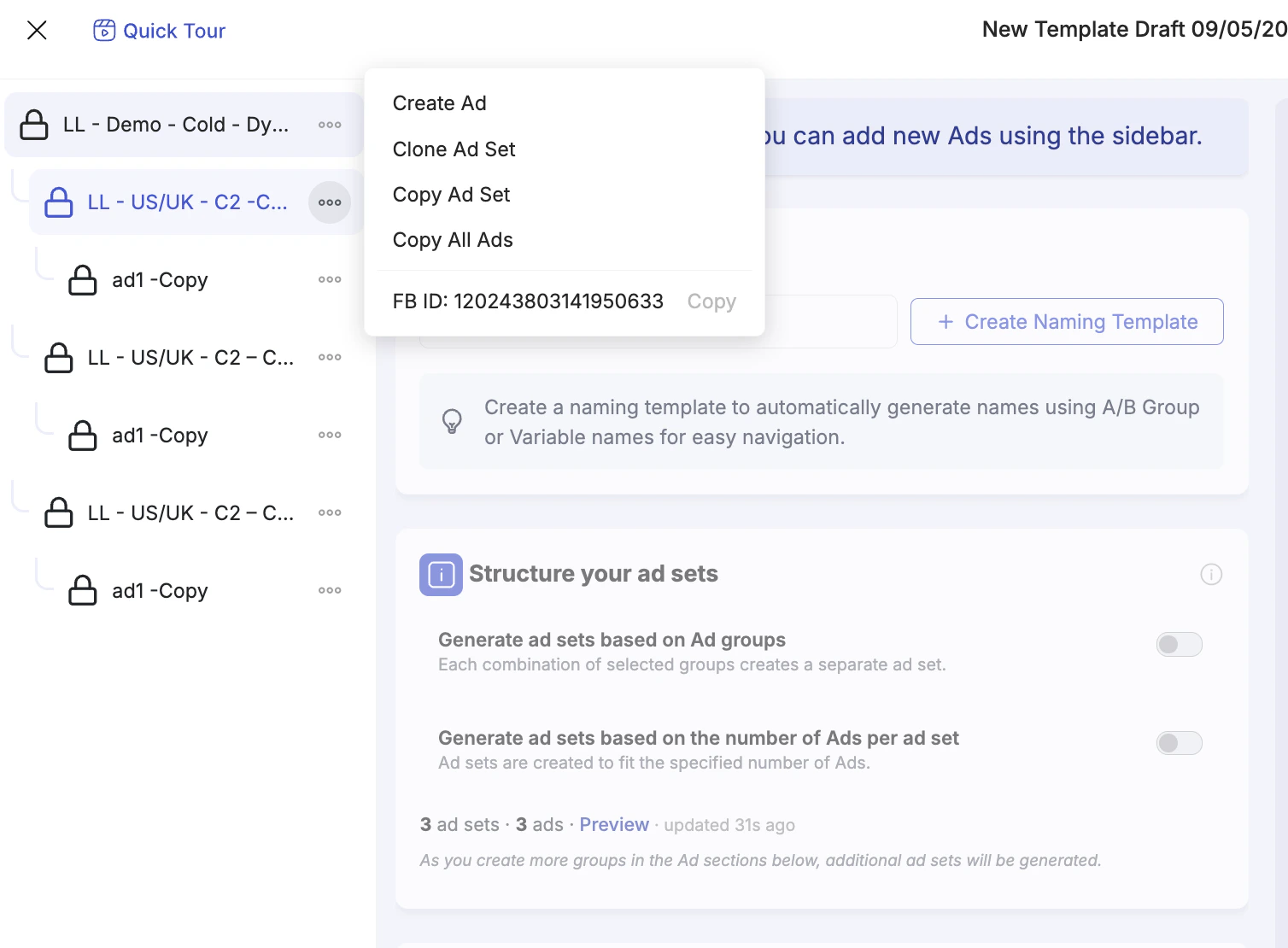
| Option | What it does |
|---|---|
| Create Ad | Adds a new ad inside this existing ad set. You can upload creatives and generate variations from it. |
| Clone Ad Set | Creates a full copy of this ad set (including its ads) as a new, editable ad set within the same campaign. |
| Copy Ad Set | Copies the ad set settings to the clipboard so you can paste them into another campaign loaded in the launcher. |
| Copy All Ads | Copies all ads from this ad set so you can paste them into a new ad set in another campaign. |
| FB ID | Displays the Facebook ID of this ad set and provides a one-click copy button. Useful for referencing the ad set in scripts, rules, or external tools. |