
When you create a new ad in the Campaign Launcher, the default flow is to upload images or videos and let the system create new ad posts. But if the content you want to run has already been published as a Facebook post — and has accumulated social proof (likes, comments, shares) — you can use that existing post as the ad creative instead of creating a new one. Using existing post IDs preserves social proof. An ad running from a post that already has hundreds of comments and reactions performs differently — and often better — than a brand-new post with zero engagement.Documentation Index
Fetch the complete documentation index at: https://theoptimizer.io/docs/llms.txt
Use this file to discover all available pages before exploring further.
How to Use an Existing Post
At the Ad level, after selecting your Facebook Page and Instagram Account, you will see a selector with two options: Create an ad (the default) and Use an existing post. Select Use an existing post.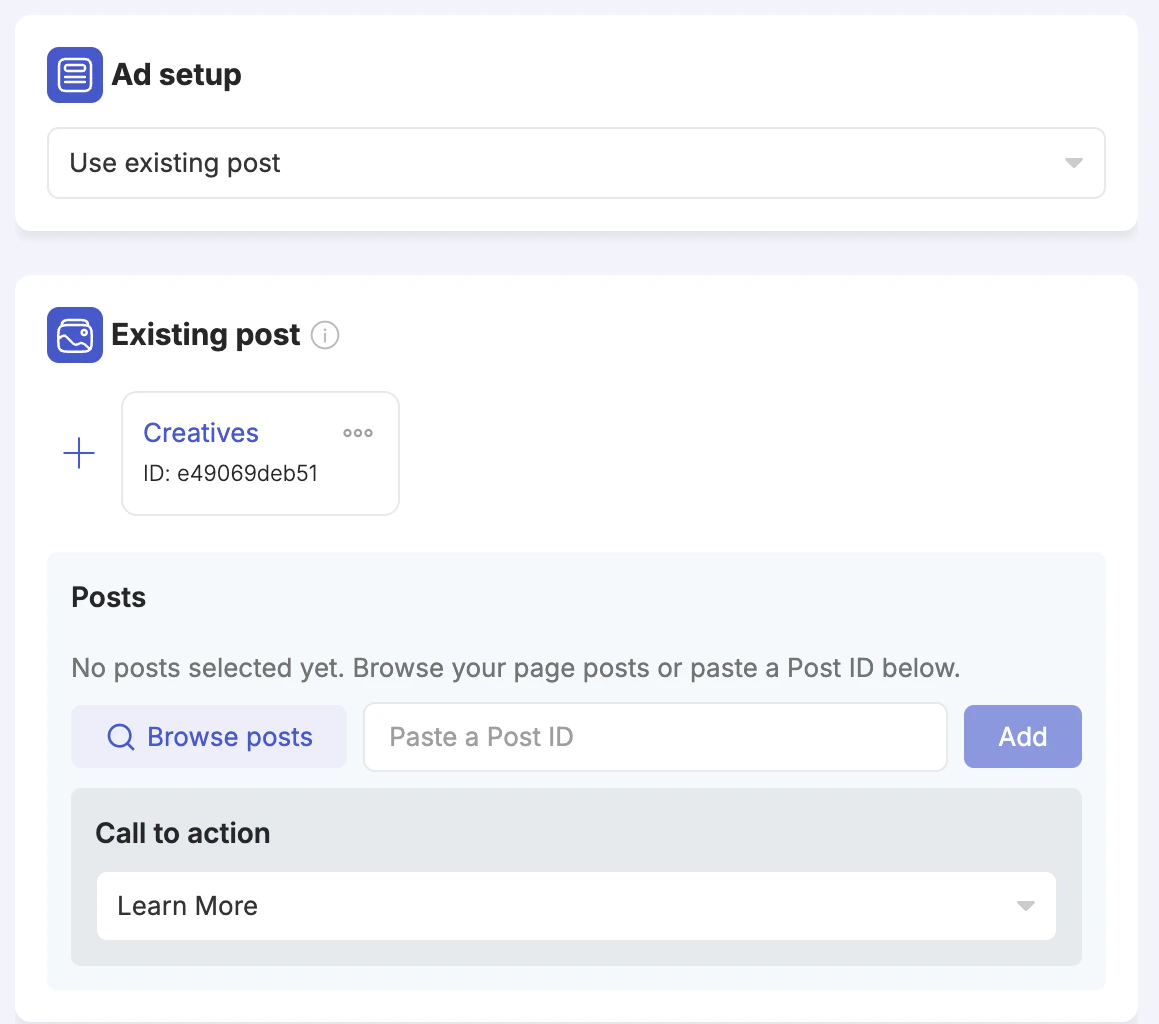
- Browse posts — opens a searchable panel showing all posts available to the selected ad account. You can search by post ID, message text, or other post elements. The list shows post type (image, video, etc.), whether it is a published or ads post, share count, and creation date.
- Paste a Post ID — if you already know the post ID, paste it into the field and click Add.