
After building a campaign structure — including all groups, Restructuring settings, multi-account copies, naming templates, and automation assignments — you can save the entire configuration as a reusable template.Documentation Index
Fetch the complete documentation index at: https://theoptimizer.io/docs/llms.txt
Use this file to discover all available pages before exploring further.
Saving a Template
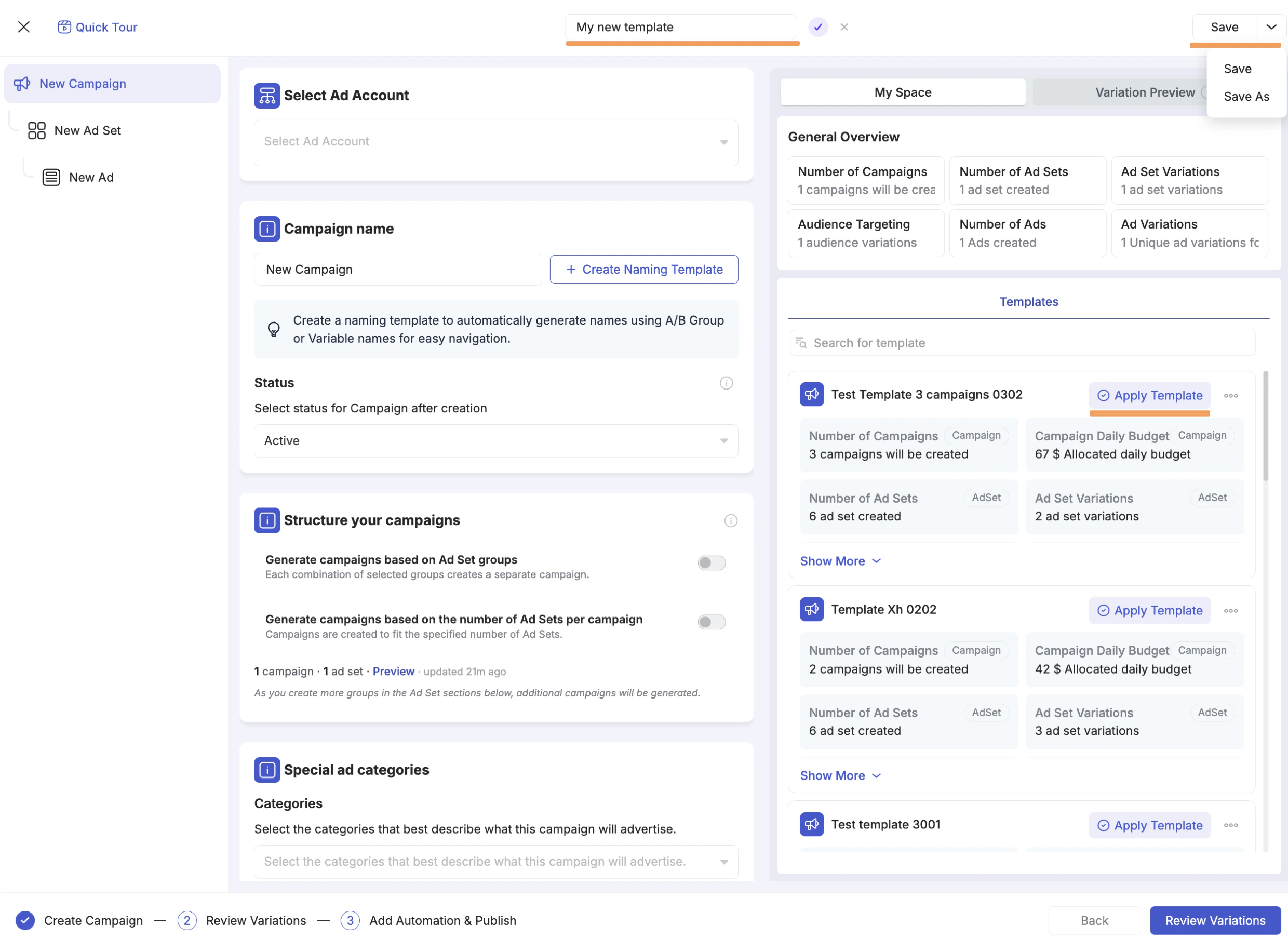
When you are ready to save, click the Save dropdown in the top-right corner of the launcher. Two options appear:- Save — saves the current state over the existing template name (if you loaded one and want to update it), or prompts you to name a new template.
- Save As — always creates a new template with a new name, leaving the original unchanged. Use this when you want to create a variant of an existing template without overwriting it.
Applying a Saved Template
The next time you open the Facebook Campaign Launcher, go to the campaign level and open the My Space tab on the right panel. Your saved templates are listed there, each showing a summary of what the template will create:- Number of Campaigns — how many campaigns will be generated
- Campaign Daily Budget — the total daily budget across campaigns
- Number of Ad Sets — total ad sets that will be created
- Ad Set Variations — number of ad set variations
Making Changes After Loading
Once a template is loaded, everything is fully editable. Typically you only need to:- Swap in new creatives at the ad level
- Adjust a budget amount
- Update a destination URL or pixel
- Change the ad account (for multi-account launches)
Load the template
Open the Facebook Campaign Launcher, go to the campaign level, open the My Space tab, and click Apply Template next to the template you want to use.
Make your changes
Update creatives, budget, URL, or any other setting that differs from the previous launch.
Save As to preserve the variant (optional)
If your changes represent a new reusable configuration (e.g., a different product or market), use Save As to save it as a new template before publishing.