




10x Your Meta Ads Results Without the Extra Work

Launch campaigns, analyze performance, generate creatives, and automate optimization across all your Meta ad accounts — without the manual work.
7-day free trial
Cancel Anytime

Go Beyond Meta Ads Manager’s Native Workflow

TheOptimizer adds an AI-powered campaign management layer on top of Meta Ads, helping media buyers launch faster, optimize smarter, and scale with more control.

Launch Faster

Skip repetitive setup inside Ads Manager. Save your campaign structure, creatives, and rules, then launch new tests in minutes.

Optimize With Better Data

Use Meta performance data, tracker data, and your custom KPIs to decide what to pause, scale, clone, or investigate.

One Dashboard. Full Control.

Manage hundreds of Meta ad accounts, automate workflows, and monitor every action from a single dashboard.

Use AI to Launch, Optimize, and Scale Meta Campaigns Faster

Launch Campaigns Faster

Build campaigns from saved templates, add creatives, assign rules, and launch across multiple ad accounts and fan pages. Launch faster without rebuilding everything from scratch.
Campaign library showing 14 campaigns with 64 ad sets and 118 creatives, with an upload button and three ad creative thumbnails showing women in beauty and lifestyle photos

Scale What’s Working Automatically

Increase budgets, adjust bids, or apply scaling rules when campaigns, ad sets, or creatives hit your target KPIs.
Scale Profitably

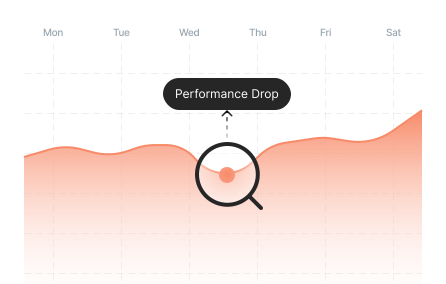
Detect Performance Fluctuations

Monitor sudden drops, spikes, and trend changes across Meta campaigns so you can react before small drops become expensive.
Performance graph showing a sharp drop labeled Performance Drop highlighted by a search icon, tracking campaign performance across Monday through Saturday

Cut Ad Spend Waste

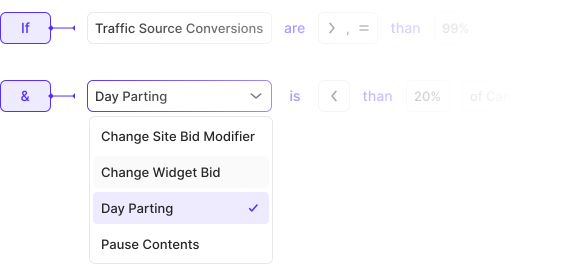
Use AI-assisted rules to pause underperforming campaigns, ad sets, ads, placements, GEOs, or devices before they drain more budget.
Automation rule builder showing conditions for traffic source conversions and day parting, with action options including Change Site Bid Modifier, Change Widget Bid, Day Parting, and Pause Contents

Generate and Improve Creatives With AI

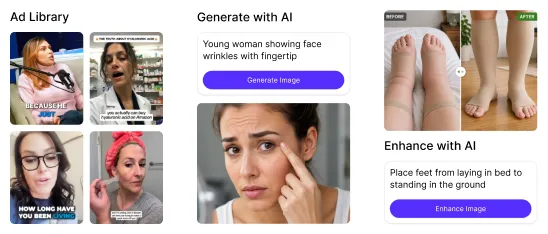
Create images from scratch or improve existing creatives with AI. Prepare more ad variations without waiting on long production cycles.
Creative panel with three columns: Ad Library showing existing creative thumbnails, Generate with AI showing a young woman with a generated image prompt, and Enhance with AI showing a foot placement example

Clone Winners Across Ad Accounts

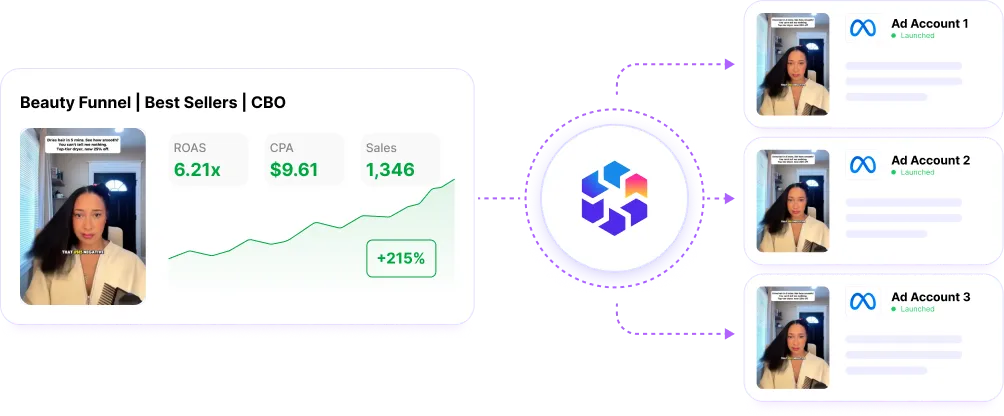
Automatically clone high-performing campaigns based on profitability, or other KPIs. Scale across ad accounts without the repetitive setup.
Campaign cloning diagram showing a Beauty Funnel Best Sellers CBO campaign with ROAS 6.2x, CPC $9.61, and 1,348 conversions being duplicated to Ad Account 1, Ad Account 2, and Ad Account 3

Daypart Campaigns, Schedule Actions

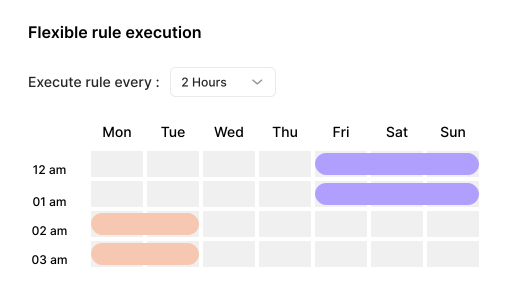
Daypart campaigns without relying on lifetime budgets. Schedule optimization actions to run at specific hours of the day.
Flexible rule execution panel showing rule frequency set to every 2 hours and a day parting grid with selected hours highlighted across Monday through Sunday

Optimize Beyond Ads Manager Metrics

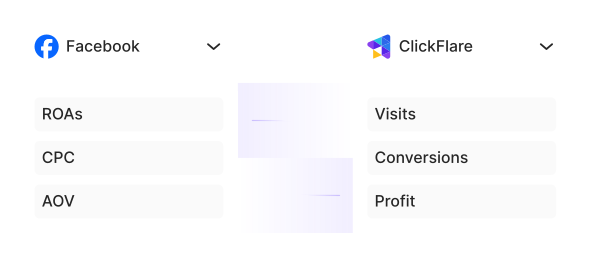
Don’t rely on delayed or inflated platform metrics. Optimize on the data you trust, like your analytics, sales sheets, or CRM.
Side-by-side data panel showing Facebook metrics including ROAs, CPC, and AOV alongside ClickFlare tracker metrics including Visits, Conversions, and Profit

Build Metrics That Match Your Goals

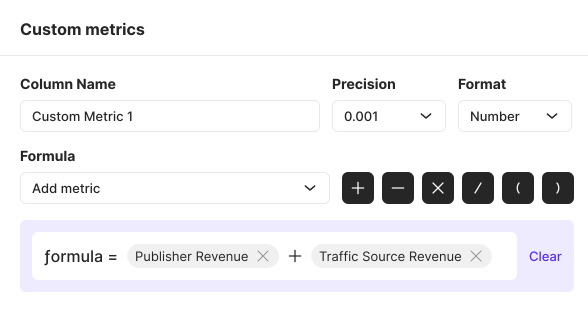
Build your own performance metrics using simple formulas that combine Meta and third-party analytics data. Think true CPA or blended ROAS.
Custom metrics builder showing a formula field with Publisher Revenue plus Traffic Source Revenue, with precision set to 0.001 and format set to Number

Get Performance and Action Alerts

Stay informed without babysitting your campaigns. Know instantly when ROAS drops, CPAs spike, or budgets are scaled.
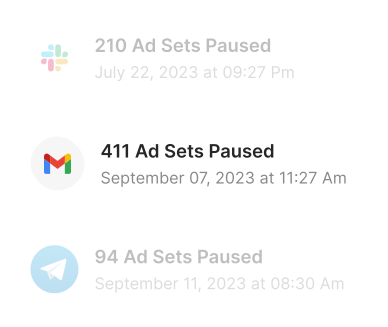
Notification history showing three alerts: 210 Ad Sets Paused on July 22 via Slack, 411 Ad Sets Paused on September 7 via Gmail, and 94 Ad Sets Paused on September 11 via Telegram
Works 24/7
TheOptimizer scaled my business monthly revenue from $10k to over $200k. It's like having an employee who never gets tired and works 24/7.
Varunraj Keskar, Performance Marketer, TheOptimizer customer
Varunraj Keskar
Performance Marketer
Get Started for Free
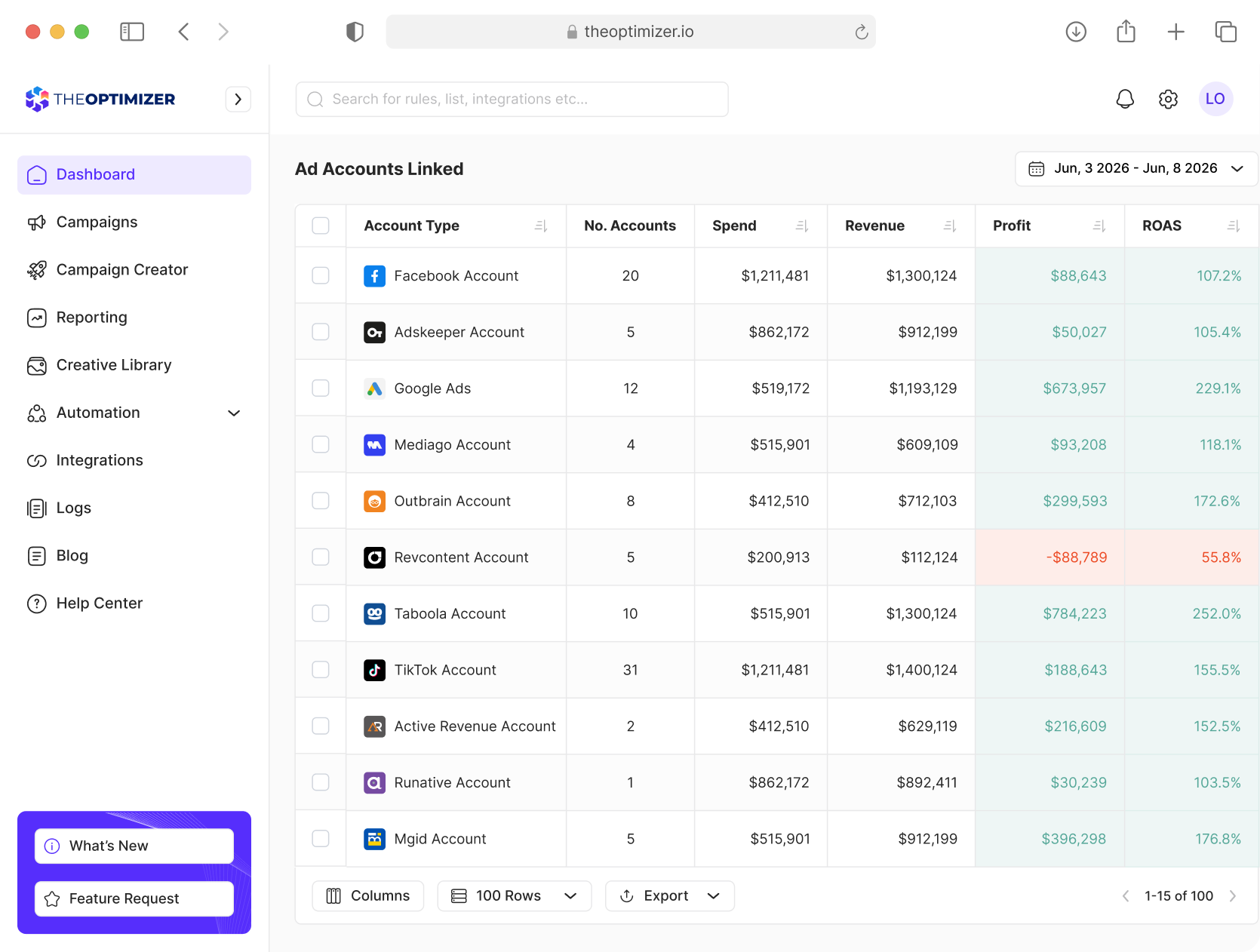
TheOptimizer campaign management dashboard interface

Launch Meta Campaigns
10x Faster Than Ads Manager

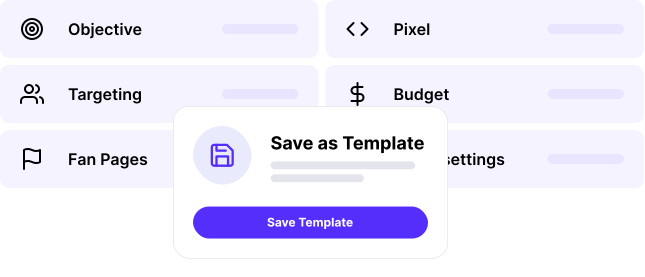
Define your campaign settings, add creatives, assign rules, and launch across multiple ad accounts and fan pages. Save each setup as a template to relaunch faster without rebuilding from scratch.
Start Launching Now
a game-changer
Using TheOptimizer has been a game-changer for our campaigns across both social media and native platforms - their support is top-notch, they genuinely listen to feedback to enhance their product, and the constant feature updates keep things fresh and effective!
Tamara Jelic from Coinis, TheOptimizer customer
Tamara Jelic
Coinis

Analyze, Optimize, and Scale from One Dashboard

Connect your ad platforms, analytics tools, and CRM data in one place. Use AI to uncover opportunities, execute optimizations, and automate repetitive work across multiple accounts.
Ask AI to uncover opportunities, execute optimizations, and automate repetitive tasks across all your accounts.
Combine Meta, analytics, and CRM data into custom metrics to power smarter decisions and automations.
Analyze performance across different time periods to detect trends, anomalies, and emerging opportunities.
Report across hundreds of accounts, clients, and currencies from one place.
Get Started for Free

Frequently Asked Questions

Have more questions? Send us a message and we will be happy to help.
Contact Us
What is TheOptimizer for Meta Ads?

TheOptimizer is an AI-powered campaign management and automation platform for media buyers running Meta Ads. It helps you launch campaigns faster, analyze performance, create automation rules, manage creatives, and optimize campaigns across multiple Meta ad accounts from one platform.

How is TheOptimizer different from Meta Ads Manager?

Meta Ads Manager gives you native campaign controls inside Meta. TheOptimizer adds an AI-powered operating layer for media buyers, helping you launch faster, apply automation, use tracker and custom data, manage multiple ad accounts, and monitor actions from one dashboard.

Can I launch Meta campaigns from TheOptimizer?

Yes. TheOptimizer includes a Meta campaign launcher that lets you define campaign settings, add creatives, assign rules, and launch campaigns across multiple ad accounts and fan pages. You can also save launch settings as templates so you do not have to rebuild everything from scratch.

Can I use templates for Meta campaign launches?

Yes. You can save common campaign settings such as objective, targeting, pixels, budgets, placements, and structure as reusable templates. This helps media buyers launch new Meta campaigns faster while keeping setup consistent across accounts and tests.

Can I control how campaigns, ad sets, and ads are structured before launch?

Yes. TheOptimizer allows you to structure campaigns before launch by defining how many ad sets should be created per campaign and how many ads should be created per ad set. This helps teams run cleaner creative tests and allocate budgets more intentionally.

Can I launch Meta ads into existing campaigns?

Yes. TheOptimizer can help you launch new ads into existing campaigns and ad sets, so you can refresh active campaigns with new creatives without rebuilding the entire campaign structure.

Can I relaunch Meta ads while keeping the same post ID?

Yes. TheOptimizer supports relaunching ads while maintaining the same post ID. This allows media buyers to preserve previously collected engagement such as reactions, comments, and social proof when reusing proven ads.

Can I launch campaigns across multiple Meta ad accounts?

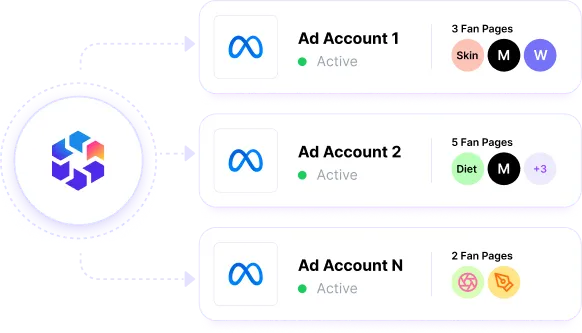
Yes. TheOptimizer is built for media buyers and teams managing multiple ad accounts. You can launch campaigns across multiple Meta ad accounts in one workflow instead of repeating the same setup manually inside Meta Ads Manager.

What Meta campaign actions can TheOptimizer automate?

TheOptimizer can automate actions such as pausing or activating campaigns, ad sets, creatives, placements, GEOs, and device types. It can also help adjust budgets, Target ROAS, Bid Cap, Cost Cap, and other optimization controls based on your rules and performance data.

What data can Meta automation rules use?

Rules can use Meta Ads metrics, tracker data, analytics data, Google Sheets data, and custom metrics pushed into TheOptimizer through custom data sources. This allows you to automate decisions using the data that matters most to your business, not only platform-reported metrics.
