10 Best Google Ads Management Tools in 2026 (Tested by PPC Experts)

Choosing the right Google Ads management tool can make all the difference between burning budget and scaling profitability. Especially if you’re managing many accounts or dealing with multiple clients.
The truth is, you don’t have to deal with this manually anymore. Google Ads management tools are here to make your life as an advertiser easier. They’ll work while you sleep and spot problems before they turn into thousands of dollars wasted.
To help you find the right fit, we compared the top 10 tools that performance marketers and media buyers use every day to manage Google Ads in 2026.
We tested each platform across five key areas:
- Automation capabilities: How effective is the platform in removing manual work through rules, automation, and optimization.
- Ease of use: How quickly you can navigate the platform without a steep learning curve.
- Performance insights: The tool’s ability to identify performance trends and make data-driven decisions.
- Pricing vs value: Whether the features justify the cost at different levels of ad spend.
- Users’ reviews: G2, Capterra, and testimonials.
Quick Comparison Table: 10 Best Google Ads Management Tools
Before we explore each ad management tool in-depth, here’s a quick comparison table for your own research.
1. TheOptimizer – Best for Multi-Channel Automation at Scale
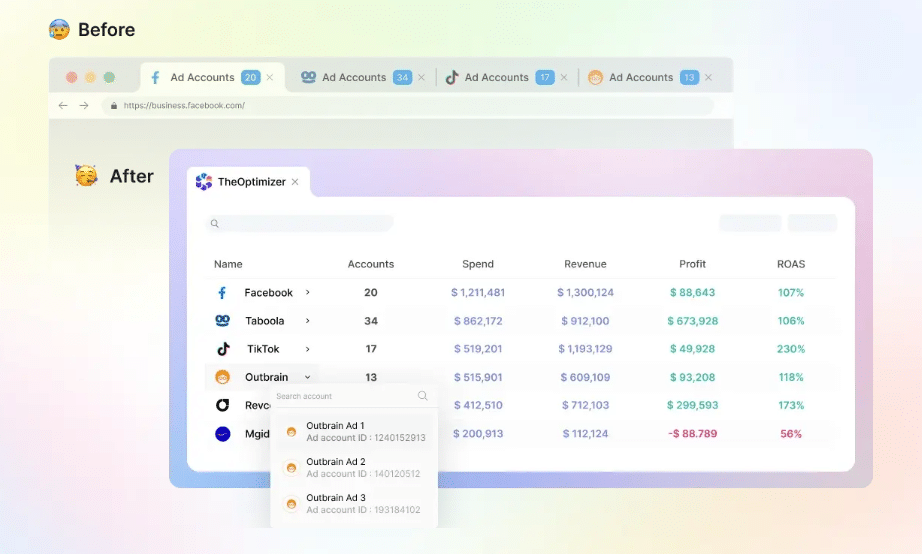
TheOptimizer is a multi-channel campaign management and automation platform built for performance marketers looking to streamline their processes.
You define the rules, and the platform acts on them automatically across all platforms from a centralized dashboard. On Google Ads specifically, it goes deeper than most tools in this category. Rules run as often as 10 minutes, handling granular actions such as:
- Pausing ads, ad groups, or campaigns that aren’t converting
- Enabling or disabling keywords based on performance
- Adjusting bids and budgets when conditions are met
- Excluding search terms that are burning spend with no conversion
For example, you can set a rule to pause keywords with ROAS below your target over the last 7 days, or increase budgets 20% for campaigns averaging 3+ conversions daily.
The multi-channel dashboard unifies it all: View ROAS, profit, and spend in one spot, applying identical rules cross-platform.
Key Features
- Multi-channel automation
- Advanced rules to pause underperforming campaigns
- Automated optimization (100+ metrics)
- Scheduled rules based on your needs
- Notification alerts via email, Slack, or Telegram
Where TheOptimizer Earns Its Place
- Manages Google Ads alongside every other major traffic source
- Saves time by automating “90% of routine tasks.”
- Protects ad spend with 24/7 safeguards
Where it Falls Short
- Rule-based setup requires some knowledge
- Best for high-volume media buyers; might be challenging for small advertisers
Pricing
Starts at $199/month for the Starter plan (includes $20K in ad spend, with overage at $0.01 per $1 beyond that).
Review
Highly reviewed by marketers for its Google Ads management capabilities.
“TheOptimizer scaled my business monthly revenue from $10k to over $200k. It’s like having an employee who never gets tired and works 24/7.” – Varunraj Keskar, Performance Marketer
“Their support team helped us implement real-time S2S conversion tracking for Google Ads at the keyword level with automated rules—a game-changer other tools couldn’t match.” – Alex, Google Ads Expert
2. Google Ads Editor – Best Free Tool for Bulk Campaign Edits
Image source: Google Ads Editor Help
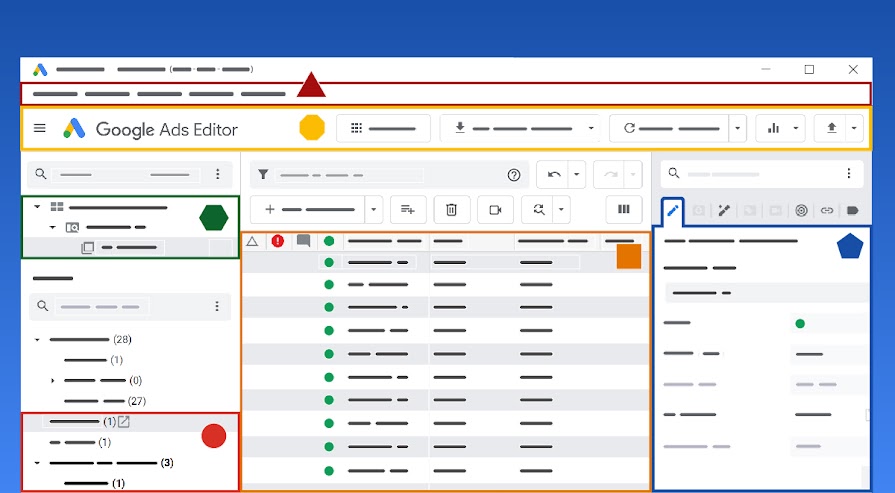
Google Ads Editor is a free desktop application that lets you edit your campaigns in one go. All you have to do is download the software and connect your Google Ads account, and you’ll be able to perform changes, even offline.
PPC managers mostly use it to make bulk campaign changes, manage large-scale accounts, and conduct offline edits.
It’s important to note that Google Ads Editor does not generate recommendations or surface performance insights. You still need to know what changes you’re making; it just lets you apply them faster and in bulk.
Key Features
- Bulk editing across campaigns
- Multi-account management from one interface
- Direct upload to Google Ads once edits are ready
- Offline editing
Where Google Ads Editor Earns Its Place
- Completely free, provided by Google
- Best for large-volume campaign updates
Where it Falls Short
- No advanced features compared to other tools
- No reporting or campaign performance insights beyond what Google natively provides
- You still have to make all the decisions
- No cross-platforms support
Pricing
Free
Review
One verified Google Ads reviewer put it: “My favourite feature of Google Ads is being able to make many changes at once using Google Editor.”
3. Adalysis – Best for Ad Testing & Account Auditing
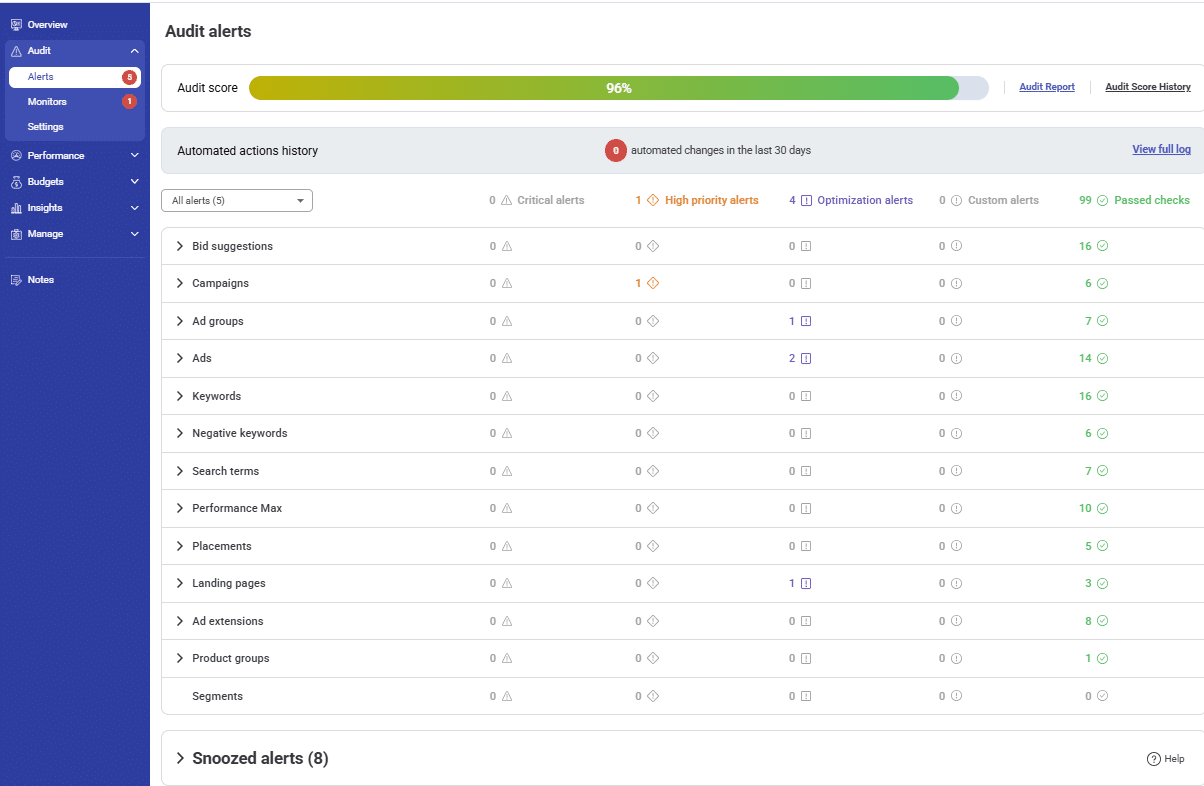
Image source: Capterra
Adalysis is a PPC optimization platform that automates your Google Ads and Microsoft Ads campaigns. The ad tracking engine runs across your account to track statistics, and lets you apply changes with one click directly from the platform.
The RSA analysis goes deeper than ad-level results. It breaks performance down by headline and description patterns, so you can see which creative angles are winning across the full account.
Alongside testing, the campaign health check is one of Adalysis’s most powerful features. 100+ automated checks scan daily for keyword conflicts, broken URLs, Quality Score drops, and budget pacing issues.
Key Features
- Advanced PPC performance tools
- Quality Score + Keyword analysis
- Ongoing account health checks
- Budget optimization
- Available pre-built reporting templates
Where Adalysis Earns Its Place
- Easy to set up and monitor tests for complex accounts
- Flags account issues before they turn into expenses
- Campaign health checks prevent potential issues
Where it Falls Short
- Not integrated with bidding and budget automation tools
Pricing
From $149/month for accounts spending up to $50K/month. Scales by spend tier. 10–15% discount on 6-month or annual plans.
Rating
- 4.8/5 on G2
- 4.6/5 on Capterra
4. Opteo – Best for Smart Google Ads Optimization
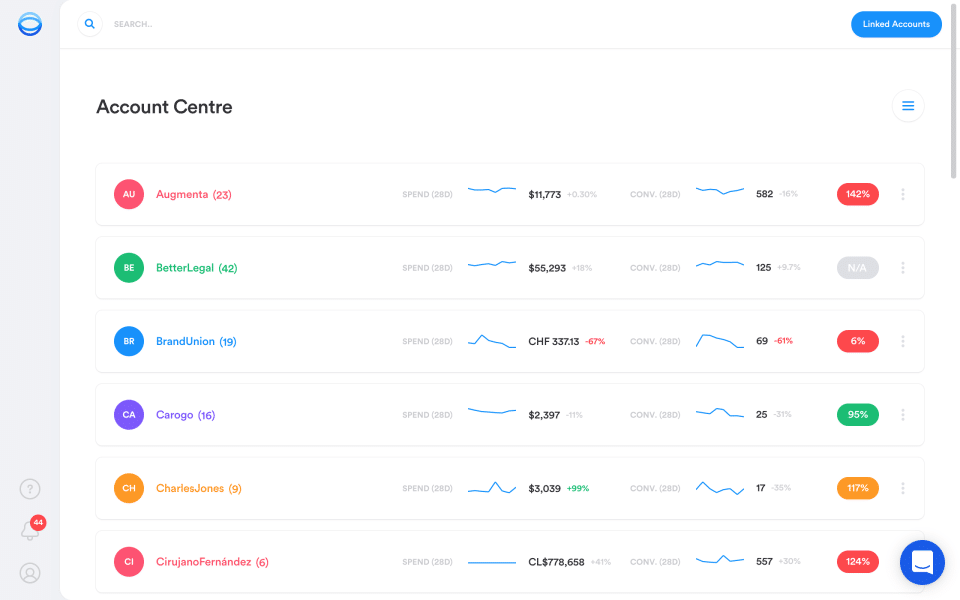
Opteo is a smart recommendation platform that helps improve your Google Ads by scanning them to identify significant patterns. When it notices something, it creates a list of recommendations on what you have to improve.
Opteo offers over 40 improvement types, including keyword management, bid optimization, error detection, and Shopping ads management.
The platform’s highlight is its simplicity. Unlike complex tools with a steep learning curve, with Opteo, the setup takes under five minutes. Also, the recommendations show up quickly.
Think of it as a lightweight optimization layer for all PPC managers, agency teams, or in-house marketing teams. Seamless to use, and pretty straightforward.
Key Features
- Over 40 different improvement types
- Real-time performance monitoring with alerts
- Custom-branded Google Ads reports
- Slack integration with real-time alerts
- Account scorecards for a quick performance health overview
Where Opteo Earns Its Place
- Fast setup
- Clean, intuitive UI that non-experts can use
- Quick and helpful customer support
- Saves hours of manual work
Where it Falls Short
- Limited to Google Ads
- Human review is required because not every recommendation might be the right call
- Pricing might not be affordable for small businesses
Pricing
Opteo’s pricing plan starts at $129/month, and it scales by ad spend and number of accounts.
Rating
- 4.5/5 on G2
- 4.9/5 on Capterra
5. Optmyzr – Best for Rule-Based Google Ads Optimization
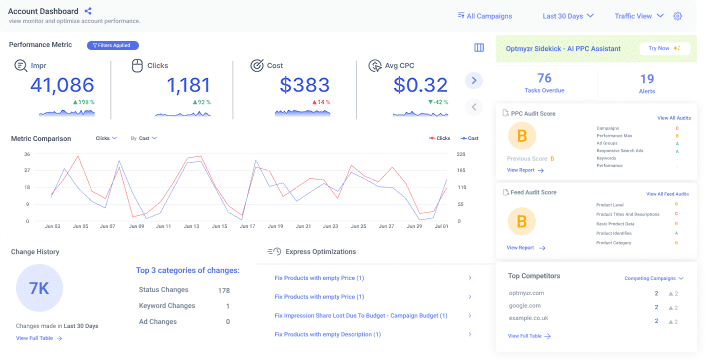
Optmyzr is an all-in-one PPC management platform built for agencies and advanced advertisers who want granular control over automation. It supports Google Ads, Microsoft Ads, and Amazon Ads.
Its Rule Engine feature is impressive. You can build custom automations using any metric combination, such as pausing campaigns when CPA exceeds a threshold and distributing budgets when impression share drops.
For agencies running 20+ accounts, this alone changes how the team operates.
Alongside automation, Optmyzr comes with dedicated Shopping and Performance Max tools, n-gram analysis for wasted spend, and the PPC Investigator for diagnosing performance changes.
Key Features
- Powerful Rule Engine feature
- One-click optimization workflow
- Performance Max and Shopping campaign analytic tools
- Custom scripts library for advanced automation
- Multi-account dashboards with custom views
Where Optmyzr Earns Its Place
- Among the best Google Ads automation available from a third-party tool
- Valuable for agencies managing multiple large accounts
- Exceptional customer support
Where it Falls Short
- Pricing scales steeply with ad spend volume
- Steep learning curve for beginners
- Report design customization options are limited
Pricing
Pricing starts at $299/month.
Rating
- 4.6/5 on G2
- 4.7/5 on Capterra
6. Channable – Best for Google Shopping Feed Management
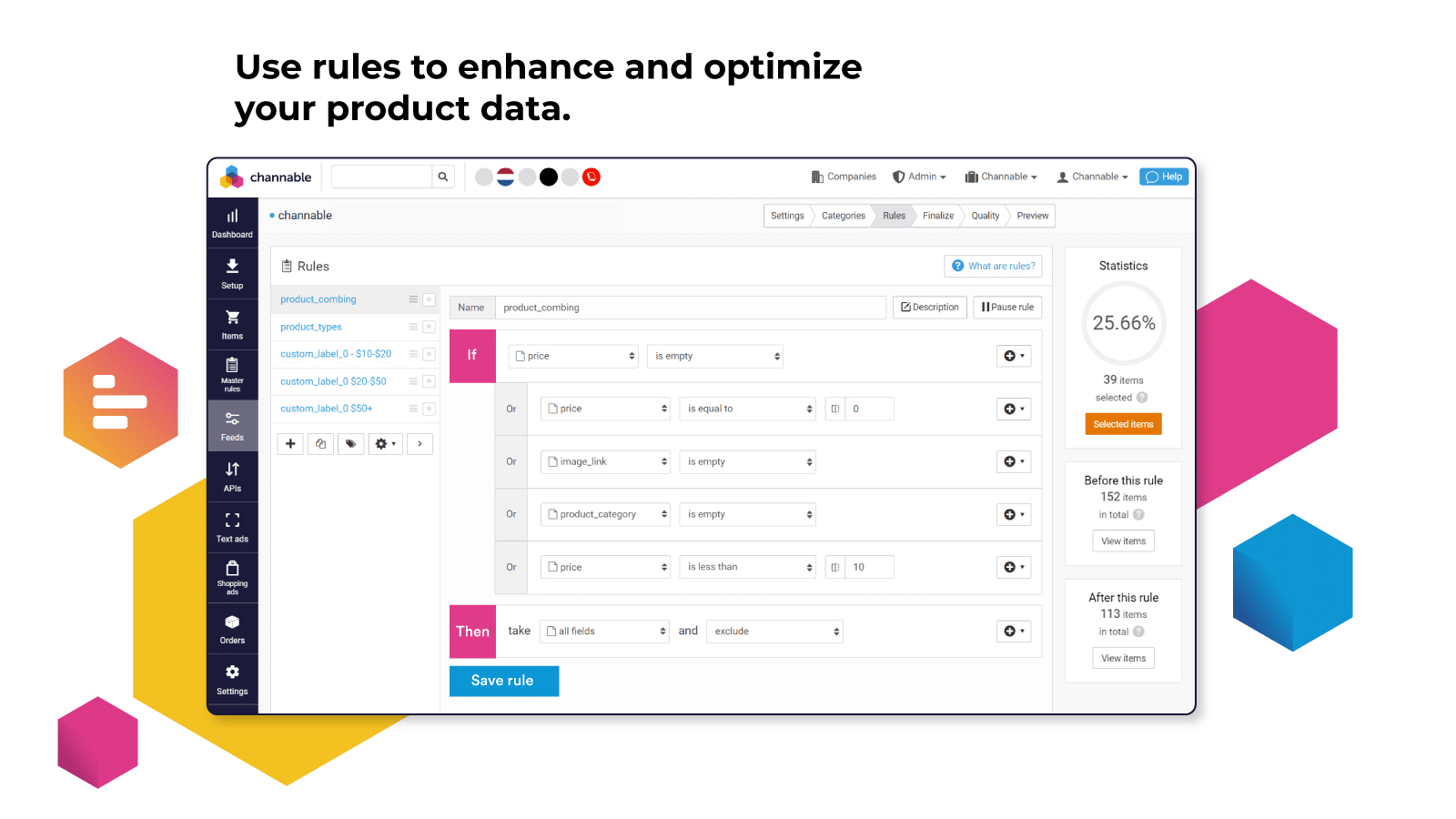
Channable is a product feed management and multichannel advertising tool designed for e-commerce teams. It gives full control over how data performs across the channels they sell on.
You connect your catalogs, set up rules to filter your product data, and Channable does the rest. It distributes data to Google Shopping, Performance Max, Meta, Amazon, and 2,500+ other channels automatically.
For brands managing thousands of SKUs across multiple channels, it’s a great time-saving platform.
Key Features
- Product feed creation, optimization, and management for e-commerce platforms
- Rule-based data transformation
- Multi-channel publishing to +2,500 channels
- Automatic exclusion of out-of-stock or low-margin products
- Real-time inventory syncing across all connected channels
Where Channable Earns Its Place
- Easy to manage product feed
- Teams can control rules without the need for a developer
- Prevents wasted spend on products that shouldn’t be running
- Great customer support
Where it Falls Short
- Setup has a learning curve
- Not a general-purpose Google Ads automation platform
- Some standard features require add-ons
Pricing
Pricing is subscription-based. Calculated by the number of items, projects, and channels. Pricing starts at €39/month (500 items, 1 project, 3 channels).
Rating
- 4.5/5 on G2
- 4.6/5 on Capterra
7. Swydo – Best for Client Reporting
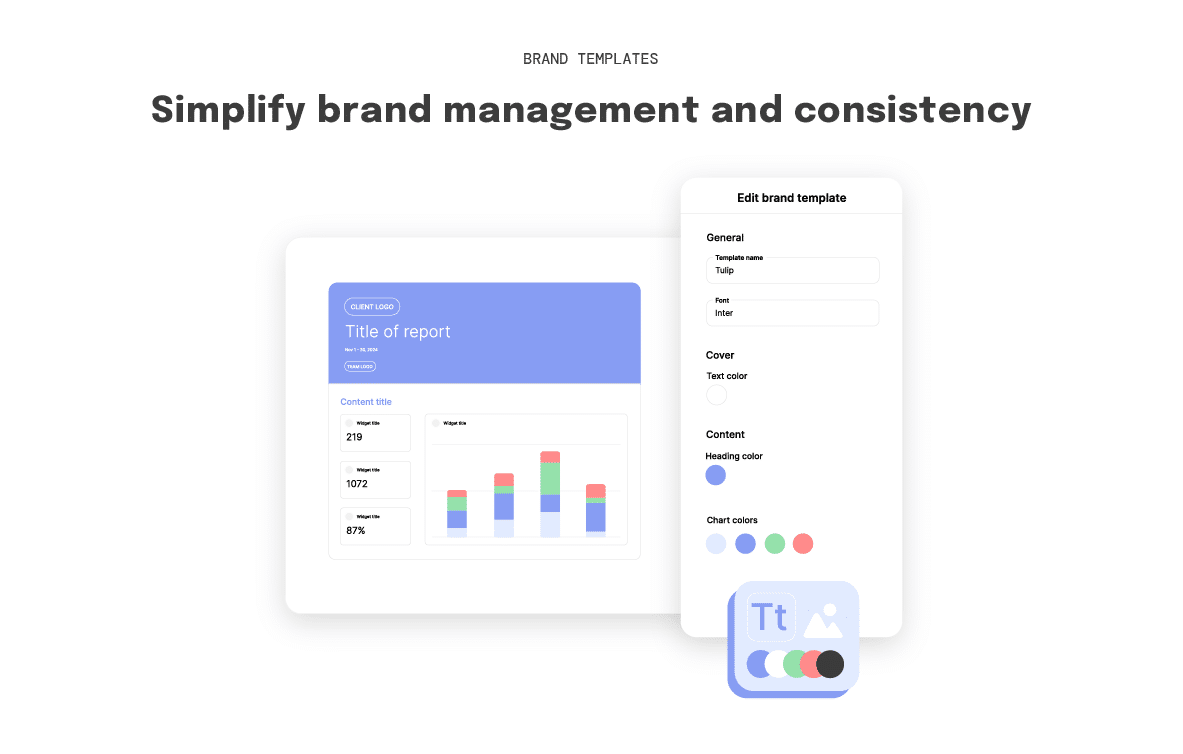
Swydo is a reporting and monitoring platform built for marketers looking to take their workflows to the next level. You connect your data source and build a template once. Swydo then delivers reports automatically, based on the schedules you set.
We particularly like how intuitive the platform is. Templates can be copied across accounts in a few clicks, making them useful for agencies that manage multiple clients.
Another cool feature is their live link, where clients can view their reports directly in a browser, rather than downloading a PDF.
Key Features
- Automated, white-labeled client reports
- 34+ integrations
- KPI monitoring boards
- AI-powered report summaries in all plans
- Blends data from up to 5 platforms into one widget
Where Swydo Earns Its Place
- Easy to set up and use
- Removes hours of manual reporting work
- Intuitive and customizable
Where it Falls Short
- Limited campaign automation
- Not ideal for large, complex stacks
- Expensive if you manage a large number of data sources
Pricing
From $69/month (includes 10 data sources).
Rating
- 4.6/5 on G2
- 4.5/5 on Capterra
8. WordStream – Best for Small Businesses Running Google Ads
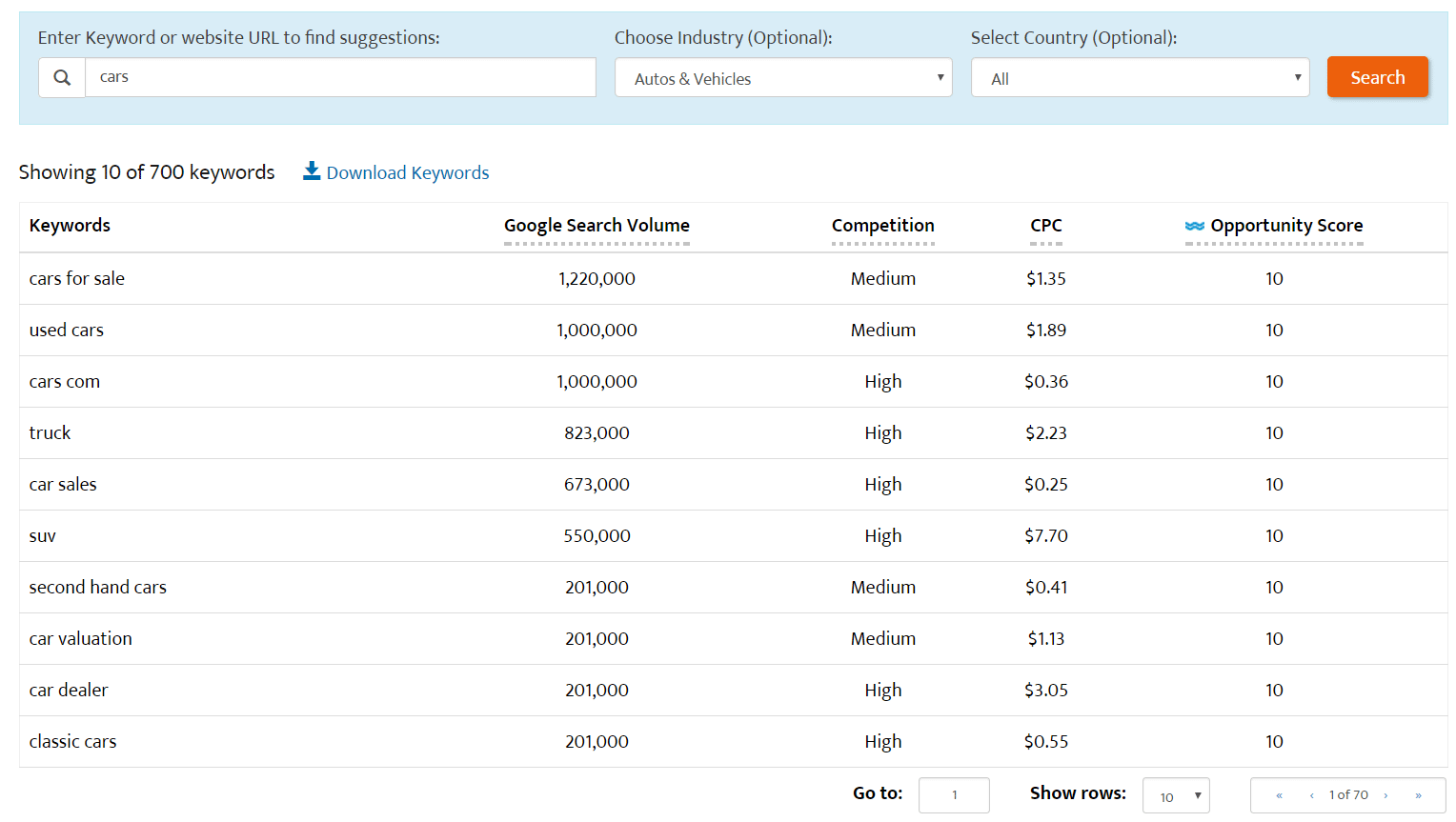
WordStream, now part of LocaliQ, is designed for the business owner or marketers who need to run Google Ads without dedicated PPC expertise. You won’t find a complex dashboard here; instead, WordStream guides you through the most important actions with its flagship 20-Minute Work Week workflow.
Smaller accounts benefit when the goal is spending less time managing, without compromising on results. It’s not built for scale, and it doesn’t pretend to be. But for a local business, or a startup running its first Google Ads campaigns, it lowers the barrier considerably.
Key Features
- 20-Minute Work Week
- Google Ads and Facebook Ads performance graders
- Keyword tool and website grader
- Industry benchmarks (over 16,000 campaigns)
Where WordStream Earns Its Place
- Easy to use and intuitive dashboard
- Saves time on campaign management
- Helpful optimization insights and weekly suggestions
- Useful for keyword management and negative keyword research
Where it Falls Short
- Recommendations can feel generic
- Reporting is basic and not suitable for agency-grade client deliverables
- No transparent public pricing
Pricing
Custom-based. Teams should contact sales directly for a figure tied to their Google Ads management features needed.
Review
“Wordstream is truly a very useful and effective tool for web analytics. It has an interface easy enough to use even by beginners.” – User review on Crowd Reviews
9. SegmentStream – Best for Google Ads Attribution and Budget Decisions
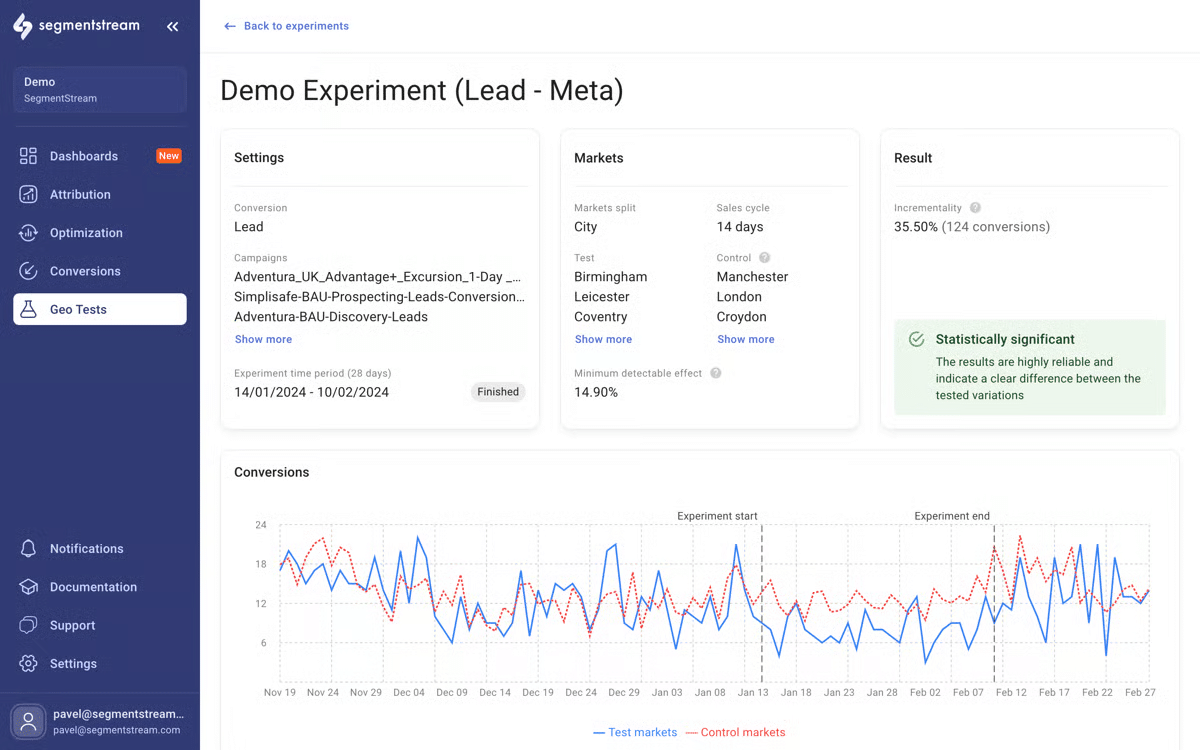
SegmentStream is a data-driven, AI-powered marketing measurement platform built for performance marketers that focuses more on true incremental value than vanity attribution.
SegmentStream rethinks attribution for the privacy-first, cross-channel world. It combines AI-powered attribution modeling, incrementality testing, and automated budget distribution to help marketers answer “Which channel or method has actually moved the needle, and how much?”
Key Features
- AI-driven attribution modeling
- Conversion recovery for users who declined consent tracking
- Cross-channel unified reporting
- GEO incrementality testing
- AI-powered budget management recommendations
Where SegmentStream Earns Its Place
- Solves the attribution accuracy problem that most other tools ignore entirely
- Highest quality of support score
- No developer required for standard integration setups
Where it Falls Short
- The interface can load slowly
- Steep learning curve for teams new to attribution
- Occasional connection issues between systems
Pricing
Personalized quote based on your ad spend.
Rating
4.7/5 on G2
10. TrueClicks – Best for Multi-Account PPC Automation and Health
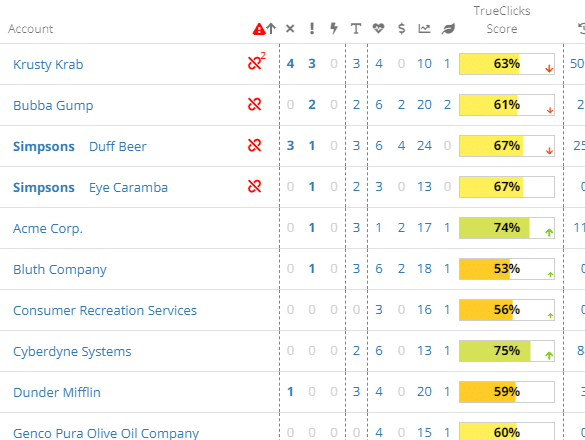
TrueClicks is a PPC automation and account-health platform for teams who want to stay on top of multiple Google Ads accounts.
It supports Google Ads, Microsoft Ads, and later-generation platforms. You can run rule-based automation, audits, and reporting across channels from one place. Every account gets a score based on automated checks across elements like campaign structure, bidding, and ad copy.
The budget pacing feature is where you feel the immediate value. TrueClicks monitors pacing in real time across every connected account and sends alerts before the damage is done.
Key Features
- Automated account audits and performance checks
- Multi-platform campaign management
- Real-time budget pacing monitoring with alerts
- Native-reporting and white-label-style outputs
- Integrations with Looker Studio, Google Sheets, Microsoft Excel, Power BI, and Tableau
Where TrueClicks Earns Its Place
- Saves manual time
- Strong account health diagnosis
- Easy setup and user-friendly interface
- Valuable for agencies and multi-account workflows
Where it Falls Short
- Most changes still need to be made in Google Ads directly
- Complex interface
- Some users note that once accounts reach a high health score, the daily value decreases
Pricing
Free tier for businesses spending up to $50/month on ad spend. Paid plans start at $249/month.
Rating
- 4.6/5 on G2
- 4.5/5 on Capterra
How to Choose the Right Google Ads Management Tools
Google Ads management software and the broader category of PPC management tools look different depending on what your objectives are. The tools in this list reflect that. Some are built for automation at scale, and others focus on account health, ad testing, or attribution accuracy.
Use this framework to decide which one works best for you:
For solo advertisers/solo businesses: Opteo delivers smart recommendations in minutes, WordStream offers guided workflows like 20-Minute Work Week, and free Google Ads Editor handles bulk edits without cost.
For agencies managing multiple clients: TheOptimizer unifies Google Ads with Meta/TikTok rules; Optmyzr powers custom Rule Engines; Swydo automates white-label reports; and TrueClicks monitors health across accounts with pacing alerts.
For e-commerce brands scaling Google Shopping: High-SKU teams require feed optimization, attribution, and auditing. Channable rules product data for 2,500+ channels; Adalysis runs RSA tests and health checks; and SegmentStream nails incrementality for budget decisions.
If you’re running campaigns across Google Ads and other traffic sources and need a single automation layer, TheOptimizer saves you hours of manual work.
FAQs
What is Google Ads management software?
Google Ads management software is a third-party tool that helps advertisers automate their campaigns more efficiently than the native Google Ads interface allows.
Do I need a Google Ads management tool?
If you’re managing one small account with a modest budget, Google Ads management tools are not a must. However, if you’re managing multiple accounts or find that manual tasks are taking time away from strategy, Google Ads management tools make a difference.
Which Google Ads management tool is best for agencies?
This depends on your agency’s biggest pain point. For automation and managing large volumes, Optmyzr is a strong option. For automation client reporting, Swydo is preferred. For agencies running multiple accounts across different traffic sources, TheOptimizer is the best choice.
What’s the difference between Google Ads management tools and Google Ads itself?
Google Ads is the platform where your campaigns live. Management tools sit on top of it, offering you features and capabilities that Google doesn’t natively offer. These include cross-automation rules, statistical ad spending, and automated client reporting.
Can I manage Google Ads and other channels from one tool?
Some Google Ads tools are Google-only or have limited cross-channel support. Tools like TheOptimizer manage Google Ads alongside other platforms like Meta, TikTok, Taboola, Outbrain, from one single automation layer.
Are Google Ads really profitable?
Yes. When managed properly, Google Ads puts your brand in front of people who’re actively searching for what you sell.
Are there free Google Ads Management tools?
Yes. Google Ads Editor is a free tool for bulk editing and PPC management.